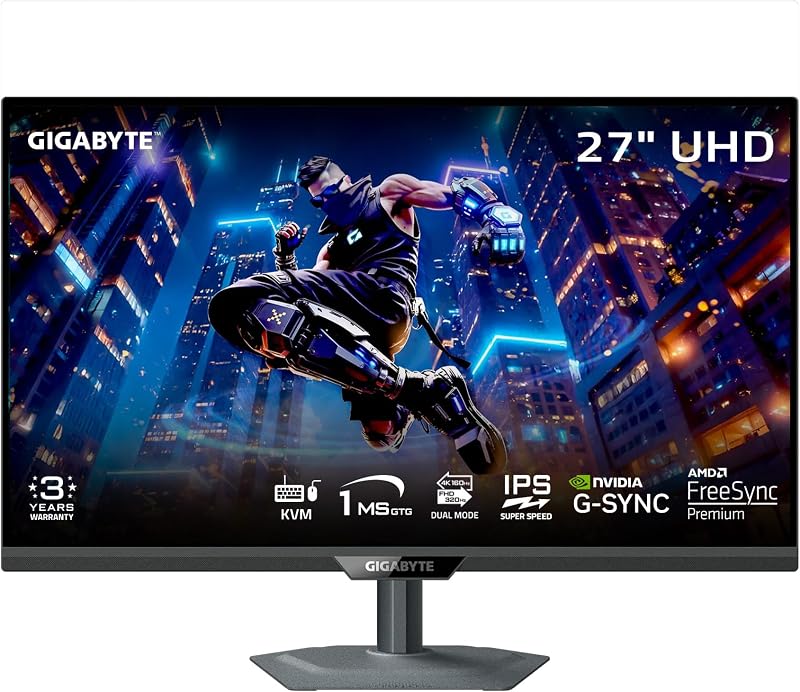
The core distinction separating the Gigabyte MO32U24 and the Dell S2725QS is display panel architecture: Gigabyte equips an esports-tier 240Hz QD-OLED display engineered for ultra-fast motion and deep contrast, whereas Dell relies on a versatile 120Hz In-Plane Switching panel built for balanced productivity and visual comfort.
Shoppers looking for competitive gaming speed, true black levels, and multi-device workstation switching should choose the Gigabyte MO32U24, while those who want a compact 4K workspace with built-in audio and dedicated eye protection for everyday office duties should pick the Dell S2725QS.


Gigabyte MO32U24 vs Dell S2725QS at a Glance
| Feature | Gigabyte MO32U24 | Dell S2725QS |
|---|---|---|
| Screen Size | 31.5 Inches (32-Inch Class) | 27 Inches |
| Panel Technology | QD-OLED | In-Plane Switching (IPS LED) |
| Native Resolution | 3840 x 2160 (4K UHD) | 3840 x 2160 (4K UHD) |
| Maximum Refresh Rate | 240Hz | 120Hz |
| Stated Response Time | 0.03ms GtG | 0.03ms (5ms in title) |
| Contrast Ratio | 1,500,000:1 | 1500:1 |
| Brightness | 300 cd/m² | 350 cd/m² |
| Adaptive Sync Support | AMD FreeSync Premium Pro, NVIDIA G-SYNC Compatible | AMD FreeSync Premium |
| Screen Coating | Anti-Reflection (ObsidianShield Film, 3H) | Matte |
| Best For | High-End Competitive Gaming & Workstations | Everyday Office Productivity & Media Playback |
Display Panel Technology and Contrast Performance
The visual impact of any 4K screen depends heavily on how the panel illuminates pixels and manages dark scenes. The Gigabyte MO32U24 240Hz QD-OLED utilizes self-emissive quantum-dot organic light-emitting diode technology, allowing each pixel to turn off completely. This design achieves a contrast ratio of 1,500,000:1, eliminating blooming artifacts and producing true, inky blacks. To maintain image integrity in brighter rooms, Gigabyte adds an ObsidianShield Film with 3H hardness that boosts perceived black levels up to 40% while shielding the delicate surface against physical scratches with 2.5 times more resistance.
In contrast, the Dell S2725QS uses a traditional In-Plane Switching (IPS) LED-backlit panel. While IPS displays excel at wide 178-degree viewing angles and stable color accuracy, they rely on a constant backlight that filters through liquid crystals. The S2725QS pushes its IPS contrast ratio to 1500:1, which is higher than older 1000:1 IPS screens, yet it cannot eliminate the standard gray haze visible during dark-room movie watching. Dell counters with 350 cd/m² of brightness compared to Gigabyte’s 300 cd/m², paired with 99% sRGB color gamut coverage and a glare-reducing matte finish that disperses reflections evenly. Readers comparing different panel designs across premium monitors often assess the gigabyte mo32u24 vs samsung odyssey neo g7 32 to understand how OLED stacks up against deep backlit arrays.
For high-dynamic-range content and immersive gaming, the self-lit QD-OLED structure delivers superior depth and scene contrast that IPS backlights cannot replicate. Dell’s panel remains dependable for brightly lit rooms where high baseline luminance and uniform sRGB color matter more than absolute black levels.
Edge: Gigabyte MO32U24, because its self-emissive QD-OLED panel and 1,500,000:1 contrast ratio produce true black levels that standard IPS backlights cannot match.
Refresh Rate and Motion Handling
Motion clarity defines how crisp fast-moving targets appear in video games and high-framerate media. The Gigabyte MO32U24 operates at an ultra-high 240Hz refresh rate paired with an esports-grade 0.03ms gray-to-gray (GtG) response time. The instant response of organic diodes virtually eliminates ghosting, trailing, and overshoot artifacts. Certified for both AMD FreeSync Premium Pro and NVIDIA G-SYNC compatibility, the display synchronizes frame delivery smoothly without tearing or stuttering during fast-paced first-person shooters.
The Dell S2725QS 120Hz IPS 4K configuration offers a substantial improvement over standard 60Hz office monitors, providing fluid desktop navigation and responsive casual play. Dell includes AMD FreeSync Premium to minimize screen tearing. However, when evaluating the Dell S2725QS vs Gigabyte MO32U24 for motion, Dell’s hardware listings highlight an interesting specification: while the product description cites an ultra-low 0.03ms response time, the official listing title designates a 5ms rating typical of fast IPS panels. Regardless of whether overdrive modes achieve sub-millisecond bursts, the 120Hz cap updates frames at half the rate of the 240Hz Gigabyte display. Exploring motion-focused alternatives such as the lg 27gr93u vs gigabyte mo32u24 helps illustrate the gap between high-refresh IPS panels and 240Hz OLED screens.
When deciding between the Gigabyte MO32U24 or Dell S2725QS for gaming, refresh rate ceiling dictates the choice. Gamers tracking fast opponents in competitive shooters gain an objective visual advantage from 240Hz rendering. Dell’s 120Hz refresh rate remains fully competent for single-player adventures, role-playing games, and everyday scrolling, but it does not match the fluid tracking of 240 frames per second.
Edge: Gigabyte MO32U24, providing double the maximum refresh rate and instantaneous pixel transitions verified for competitive play.
Screen Size, Pixel Density, and Desktop Footprint
Screen real estate and pixel density fundamentally alter desktop organization and text readability. The Dell S2725QS packages its 3840 x 2160 resolution into a compact 27-inch diagonal. This produces a pixel pitch of 163 pixels per inch, rendering fine details, spreadsheet cells, and system typography with exceptional sharpness. The monitor measures 24.08 inches wide, 15.3 inches high, and 7.89 inches deep while weighing 14.3 pounds, featuring an ash white finish and ultra-thin bezels that fit cleanly onto compact office desks. Those researching compact 4K solutions often examine the gigabyte m27up sa vs dell s2725qs to gauge how 27-inch displays manage desktop real estate.
The Gigabyte MO32U24 expands that same 4K resolution across a larger 31.5-inch (32-inch class) canvas. This provides greater overall visual immersion and expansive viewing space for multi-window multitasking without requiring display scaling. However, the larger screen demands significant physical room, measuring 28.3 inches wide, 24 inches high, and 9.45 inches deep with a total weight of 23.4 pounds. To support its heavier chassis, Gigabyte provides a fully adjustable stand featuring height, tilt, swivel, and pivot adjustments, letting you rotate the large panel into a vertical orientation when required.
The trade-off centers on desk size versus display immersion. The Dell S2725QS delivers sharper native text density and a smaller, lighter footprint suited for tight workspaces. The Gigabyte MO32U24 trades compact convenience for a broad, expansive viewing area backed by comprehensive mechanical adjustment.
Edge: Dell S2725QS, delivering a sharper 163 pixel pitch and a lighter, compact footprint that integrates effortlessly into small workspaces.
Productivity Hardware, Audio, and Connectivity
Choosing the Gigabyte MO32U24 or Dell S2725QS for productivity requires evaluating built-in convenience features, peripheral routing, and audio integration. The Gigabyte MO32U24 functions as a centralized hardware hub. It incorporates a Type-C KVM switch, enabling users to connect two separate computers-such as a work laptop and a gaming desktop-and switch control of their keyboard, mouse, and display input with a single physical button. Its port layout includes two HDMI 2.1 inputs, DisplayPort, and a four-port USB hub, ensuring ample bandwidth for modern graphics cards and external peripherals. Users seeking versatile productivity features across monitor classes frequently cross-shop the gigabyte m27q2 vs dell s2725dsm for similar hub conveniences.
The Dell S2725QS prioritizes a streamlined workstation aesthetic with built-in multimedia hardware. Rather than routing complex multi-PC setups, Dell equips the display with re-engineered integrated speakers that provide spacious audio, elevated output power, and deeper frequency response across a wider decibel range than prior iterations. For office users attending video calls or watching quick web clips, these internal speakers eliminate the need for external desktop audio hardware. Dell also builds in hardware-based ComfortView Plus, which actively reduces harmful blue light emissions to 35% or less to prevent eye fatigue across eight-hour shifts without distorting color accuracy.
Power users who rotate between multiple systems will find Gigabyte’s KVM and four-port USB hub vastly superior for workflow management. Conversely, users who operate a single computer and prefer an uncluttered desk benefit from Dell’s built-in sound system and integrated blue-light filtering.
Edge: Gigabyte MO32U24, thanks to its hardware KVM switch, Type-C connectivity, dual HDMI 2.1 inputs, and four-port USB hub.
Thermal Engineering, Maintenance, and Panel Longevity
Operating longevity and long-term maintenance protocols are critical when evaluating display purchases. A comprehensive Gigabyte MO32U24 review must account for the natural characteristics of QD-OLED panels. Organic diodes generate heat and carry risks of static image retention over extended periods. To ensure sustained reliability, Gigabyte incorporates a fanless graphene thermal film, customized internal heatsinks, and four-sided chassis ventilation to dissipate heat silently. On the software side, Gigabyte deploys an AI-based OLED Care protection suite that runs automated maintenance cycles and pixel protection routines in the background with minimal user interference. Buyers interested in extreme HDR and thermal hardware often contrast this design against monitors highlighted in the gigabyte mo32u24 vs asus rog swift pg32uqx comparison.
A Dell S2725QS review reveals an entirely different maintenance profile. Because the Dell uses an In-Plane Switching LED panel with inorganic liquid crystals, it is virtually immune to permanent static image burn-in. Users can leave static software windows, spreadsheets, taskbars, and stock tickers displayed for hours on end without scheduling pixel-refresh cycles or worrying about panel wear. The display does not require specialized heatsinks, thermal films, or background algorithmic interventions to maintain visual uniformity.
Whether you ask is Gigabyte MO32U24 worth it or is Dell S2725QS worth it hinges on how much daily maintenance you are willing to manage. Gigabyte mitigates OLED wear through sophisticated cooling and AI tools, but Dell’s IPS architecture offers carefree, zero-maintenance operation for demanding office software.
Edge: Dell S2725QS, offering an inorganic IPS structure completely free from static image retention concerns and automated maintenance cycles.
Pros and Cons
Gigabyte MO32U24

Pros
- Fast 240Hz QD-OLED panel
- Instant 0.03ms response time
- Deep 1,500,000:1 contrast ratio
- Built-in Type-C KVM switch
- Fanless graphene thermal cooling
Cons
- Demands large desk space
- Requires background OLED care
View Gigabyte MO32U24 on Amazon
Dell S2725QS

Pros
- Sharp 163 PPI text density
- Re-engineered built-in speakers
- Hardware ComfortView Plus eye care
- Zero risk of burn-in
Cons
- Limited to 120Hz refresh rate
- Lower 1500:1 contrast ratio
Who Should Buy Each One
Choose the Gigabyte MO32U24 If
- You prioritize competitive gaming and desire a 240Hz refresh rate with 0.03ms response times.
- You want absolute black levels and infinite depth driven by a 1,500,000:1 QD-OLED contrast ratio.
- You operate two computer systems and require a built-in Type-C KVM switch with four USB ports.
- You need full stand adjustability with support for height, tilt, swivel, and 90-degree pivot.
Choose the Dell S2725QS If
- You spend long workdays on spreadsheets, documents, and web pages without worrying about static image retention.
- You want a compact 27-inch 4K footprint boasting a high 163 pixel pitch and ultra-thin bezels.
- You prefer integrated, re-engineered desktop speakers with enhanced output power and deeper frequency response.
- You require hardware-based blue light reduction through ComfortView Plus technology to reduce eye strain.
Final Verdict
For high-performance enthusiasts, content consumers, and competitive players, the Gigabyte MO32U24 is the superior display overall. Its combination of a 240Hz refresh rate, 0.03ms pixel transitions, and self-lit QD-OLED contrast delivers a visual experience that backlit monitors cannot match. Added perks like the Type-C KVM switch, four USB ports, and dual HDMI 2.1 interfaces make it an exceptional command center for modern multi-device battle stations, while its graphene cooling and AI OLED Care provide robust protection against panel degradation.
However, the Dell S2725QS remains the smarter choice for professionals dedicated primarily to daily productivity, administrative tasks, and light multimedia. Its 27-inch 4K IPS panel produces crisp text at 163 pixels per inch, operates without any risk of static image retention, and integrates capable re-engineered speakers alongside ComfortView Plus eye protection. If your daily routine centers on spreadsheets and web browsing rather than high-speed competitive gaming, Dell delivers unmatched practicality and peace of mind.
FAQ
What is the key difference between the QD-OLED panel in the MO32U24 and the IPS panel in the S2725QS?
The Gigabyte MO32U24 utilizes a QD-OLED panel where every individual pixel emits its own light, enabling perfect black levels and an immense 1,500,000:1 contrast ratio. The Dell S2725QS uses an IPS panel that relies on a constant LED backlight, which achieves a 1500:1 contrast ratio but cannot achieve absolute blacks in dark environments.
Can the Dell S2725QS handle competitive esports gaming?
The Dell S2725QS supports up to a 120Hz refresh rate with AMD FreeSync Premium, which provides smooth performance for casual gaming and single-player titles. However, competitive esports players will find the 240Hz refresh rate and 0.03ms response time on the Gigabyte MO32U24 significantly more responsive for fast-action gameplay.
How does the Type-C KVM function on the Gigabyte MO32U24?
The built-in KVM feature allows you to connect two separate devices, such as a desktop PC and a laptop via Type-C, to the monitor. By plugging your keyboard and mouse into the monitor’s USB hub, you can toggle peripheral control and video output between both systems using a single physical button.
What does the ObsidianShield film do on the Gigabyte MO32U24?
ObsidianShield Film is an anti-reflective coating applied to the MO32U24 that boosts perceived black levels by up to 40% under ambient room lighting. It also features a 3H surface hardness rating, providing 2.5 times greater scratch resistance compared to untreated panels.
Does the Dell S2725QS require external speakers for sound?
No, the Dell S2725QS features re-engineered built-in audio hardware designed with greater output power, deeper frequency response, and an expanded decibel range compared to previous generations, making it suitable for video calls and casual media without external speakers.
What measures protect the Gigabyte MO32U24 from image retention?
Gigabyte implements AI-based OLED Care protection that deploys automated pixel-maintenance technologies in the background. The monitor also features a fanless graphene thermal film, customized heatsink, and four-sided ventilation to efficiently dissipate heat away from the organic panel.
Is the Dell S2725QS comfortable for long working hours?
Yes, the Dell S2725QS integrates hardware-based ComfortView Plus technology. This feature reduces harmful blue light emissions to 35% or less while maintaining accurate sRGB color rendition, minimizing eye strain across extended work shifts.