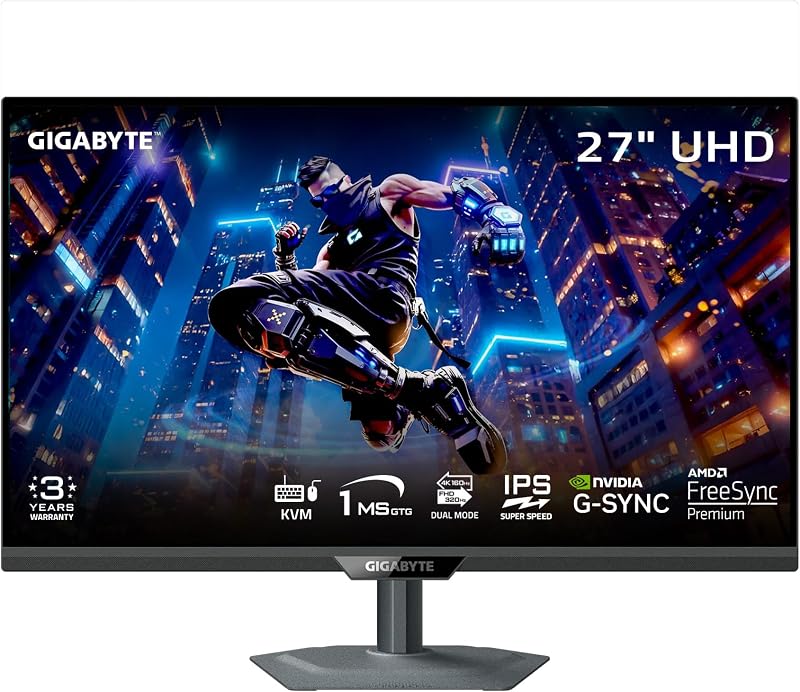
The critical difference between these two premium gaming displays comes down to native resolution and visual density: the Asus ROG Swift PG27AQDM delivers 1440p resolution engineered for blisteringly high frame rates, while the Samsung Odyssey OLED G8 delivers ultra-dense 4K resolution built for pristine fine detail.
Choose the Asus ROG Swift PG27AQDM if you are a competitive gamer seeking maximum frame rates with punchy peak brightness, or choose the Samsung Odyssey OLED G8 if your priority is razor-sharp visual fidelity and quantum dot color across demanding single-player worlds.


Asus ROG Swift PG27AQDM vs Samsung Odyssey OLED G8 at a Glance
| Feature | Asus ROG Swift PG27AQDM | Samsung Odyssey OLED G8 |
|---|---|---|
| Screen Size | 26.5 inches | 27 inches |
| Native Resolution | 2560 x 1440 (QHD 1440p) | 3840 x 2160 (4K UHD 2160p) |
| Pixel Density / Pitch | Not listed | 166 PPI (0.15 mm pixel pitch) |
| Panel Technology | MLA-OLED, META Technology | QD-OLED |
| Refresh Rate | 240 Hz | 240 Hz |
| Response Time | 0.03 ms GTG | 0.03 ms GTG |
| Brightness | 1000 nits peak (3% HDR window) | 250 cd (DisplayHDR True Black 400) |
| Contrast Ratio | 1,500,000:1 | 1,000,000:1 |
| Burn-In Prevention | Custom heatsink and intelligent voltage optimization | Pulsating Heat Pipe and Thermal Modulation System |
| Best For | High-refresh competitive esports | Immersive 4K visual fidelity |
Resolution and Visual Density
Screen resolution governs how cleanly fine geometries, environmental textures, and user interface elements render on your display. In a direct head-to-head Samsung Odyssey OLED G8 vs Asus ROG Swift PG27AQDM matchup, native rendering resolution constitutes the most transformative divergence. The Odyssey OLED G8 provides a 3840 x 2160 native resolution across its 27-inch panel, which produces a tight pixel density of 166 PPI and a 0.15 mm pixel pitch. This high pixel count resolves individual geometric edges seamlessly, making in-game foliage, long-distance sightlines, and tiny desktop text appear remarkably sharp without obvious anti-aliasing artifacts.
Conversely, the Asus PG27AQDM operates at a native QHD resolution of 2560 x 1440 across a 26.5-inch active surface. Rendering 3.68 million pixels instead of the 8.29 million pixels found on a 4K panel significantly lowers the processing demand on your graphics card. When weighing the Samsung Odyssey OLED G8 4K vs 1440p PG27AQDM dynamic, the trade-off is clarity versus performance headroom. The 1440p matrix ensures modern graphics cards can sustain extreme framerates without demanding heavy upscaling compromises. Similar performance considerations are evident when looking at comparisons like the asus rog swift pg27aqdm vs msi mpg 321urx, where desktop sharpness must be measured against graphics overhead.
While the PG27AQDM provides standard 1440p clarity that works admirably for fast gameplay, the Odyssey G8 produces an unmistakably sharper image for desktop work, cinematic gaming, and high-detail media. If visual sharpness and fine-grain resolution represent your highest priority, the visual density of the Samsung display stands well above standard 1440p panels.
Edge: Samsung Odyssey OLED G8 for offering genuine 4K clarity with a dense 166 PPI pixel structure.
Display Panel Technology and HDR Luminance
The core panel design directly impacts color vibrancy, contrast depth, and small-window highlight brightness. The Asus ROG Swift PG27AQDM leverages an OLED panel enhanced with MLA-OLED and META technology. This micro-lens hardware focuses light output forward, achieving a high perceptual peak brightness of 1000 nits on a 3% HDR window. Paired with a contrast ratio of 1,500,000:1, 99% DCI-P3 color gamut coverage, and a Delta E under 2, the Asus monitor drives intensely bright specular highlights against true, inky blacks. It also includes an optional uniform brightness setting to eliminate sudden auto-dimming swings during standard desktop workflows.
The Samsung Odyssey OLED G8 utilizes a QD-OLED panel backed by quantum dot color generation and VESA DisplayHDR True Black 400 certification. Samsung lists its brightness at 250 cd with a 1,000,000:1 contrast ratio and a 0.99 color gamut specification. QD-OLED panels are widely recognized for preserving saturated, pure color luminance across rich tones without washing out. For reflection control, Samsung introduces Glare Free technology verified by UL to be 54% less glossy than traditional anti-reflection films, whereas Asus implements an anti-glare micro-texture coating. Enthusiasts exploring alternative panel implementations frequently evaluate the alienware aw2725df vs asus rog swift pg27aqdm to see how different OLED architectures handle ambient lighting.
While the Odyssey G8 produces rich color volume and eliminates glare effectively, the Asus PG27AQDM pushes higher peak brightness for dramatic HDR explosions, glints, and lighting transitions. The 1000-nit capability and deeper contrast specification grant the Asus panel an advantage in perceived dynamic range.
Edge: Asus ROG Swift PG27AQDM for superior peak HDR highlight brightness and a higher static contrast rating.
Esports Performance and Motion Clarity
Motion clarity defines how accurately players can acquire targets during chaotic onscreen movements. Both of these displays boast an ultra-fast 240 Hz refresh rate combined with a 0.03 ms gray-to-gray response time. Because OLED pixels transition almost instantaneously, both monitors eliminate visible smearing, trailing, and overshoot artifacts that commonly plague traditional LCDs. Fast pans, rapid flick shots, and scrolling environments remain crystal clear on either surface.
However, practical gaming performance depends heavily on your system sustaining that 240 Hz ceiling. When determining whether you should get the Asus PG27AQDM or Samsung Odyssey OLED G8 for esports, the rendering resolution acts as the deciding factor. Reaching a constant 240 frames per second at 1440p on the Asus monitor is completely achievable for modern enthusiast graphics cards in competitive titles like Counter-Strike 2, Overwatch 2, or Valorant. Doing so at native 4K on the Odyssey G8 requires immense compute power that often necessitates rendering scale reductions or aggressive upscaling algorithms. For frame pacing, both monitors provide G-Sync compatibility, while Samsung also adds AMD FreeSync Premium Pro certification. Similar competitive factors surface in our lg 27gs95qe vs asus rog swift pg27aqdm analysis.
If you are deciding between the Asus ROG Swift PG27AQDM or Samsung OLED G8 for gaming at the highest competitive rank, the 1440p resolution on the Asus model delivers a tangible advantage. It enables your graphics hardware to operate closer to the 240 Hz refresh limit without frame dips.
Edge: Asus ROG Swift PG27AQDM for allowing graphics cards to sustain native 240 Hz refresh performance in competitive play.
Thermal Management and Burn-In Safeguards
Because organic light-emitting diodes degrade under prolonged heat and persistent static imagery, thermal management directly dictates panel longevity. Asus approaches this with an engineered custom heatsink paired with intelligent voltage optimization. This layout directs heat away from sensitive organic layers without relying on active fans, regulating operational temperatures across varying luminance demands. Asus backs this hardware with an extensive 3-year warranty that includes dedicated burn-in coverage and Advanced Replacement service, mitigating long-term ownership concerns.
Samsung counters on the Odyssey OLED G8 with an advanced multi-tiered thermal architecture. The monitor introduces a Dynamic Cooling System built around a Pulsating Heat Pipe, which circulates coolant to diffuse heat five times faster than traditional graphite sheets. This is reinforced by a software-driven Thermal Modulation System that algorithmically monitors operating temperatures to adjust brightness proactively, alongside automated Logo and Taskbar Detection that dims static graphical elements. The listing does not specify explicit burn-in replacement terms for this model.
Both manufacturers employ sophisticated cooling mechanisms to prolong panel lifespan. Samsung provides cutting-edge hardware dissipation through its pulsating coolant system and automated static element dimming. However, Asus pairs its custom heatsink with a concrete, documented 3-year warranty that specifically covers burn-in with advance replacement. For long-term peace of mind, that explicit policy gives Asus the advantage, a distinction buyers also track when reviewing monitors like the lg 32gs95ue vs asus rog swift pg27aqdm.
Edge: Asus ROG Swift PG27AQDM for its explicit 3-year warranty covering burn-in alongside an advanced replacement program.
Stand Ergonomics and Physical Footprint
Mounting options and physical footprint determine how smoothly a display integrates into your battle station. The PG27AQDM vs Odyssey OLED G8 27 inch comparison reveals two distinctly different approaches to physical ergonomics. Asus packages the ROG Swift PG27AQDM with a fully functional monitor arm right in the box, rather than restricting buyers to a standard desktop pedestal. This arm grants deep flexibility for tilt, swivel, height, and depth adjustments, clearing valuable desk real estate beneath the display. However, the Asus unit has a substantial footprint, measuring 23.82 inches deep, 25.83 inches wide, and 26.34 inches high, with a total weight of 22.1 pounds.
The Samsung Odyssey OLED G8 adopts a more compact, streamlined profile. Its physical dimensions measure 10.37 inches deep, 24.08 inches wide, and 21.82 inches high, making it significantly shallower on desktop surfaces. It weighs 15.2 pounds, which is nearly seven pounds lighter than the Asus package. Samsung includes an ergonomic tilt-adjustable stand and integrates CoreSync and CoreLighting+ technology into the chassis. This lighting system projects real-time onscreen hues into your physical room using 16.7 million colors, deepening overall environmental immersion. Desktop footprint considerations often resemble those highlighted in our asus rog swift pg32uqx vs samsung odyssey neo g7 32 breakdown.
While the bundled monitor arm on the Asus display is a valuable accessory, the Samsung Odyssey OLED G8 offers a substantially lighter, more compact desk presence paired with reactive ambient lighting hardware.
Edge: Samsung Odyssey OLED G8 for its slimmer desktop depth, lighter chassis weight, and dynamic CoreLighting+ feature.
Pros and Cons
Asus ROG Swift PG27AQDM

Pros
- Easier 1440p resolution for sustaining 240 fps
- High 1000 nits peak HDR brightness
- 3-year warranty with burn-in coverage
- Articulating monitor arm included in box
- Deep 1,500,000:1 contrast ratio
Cons
- Lower pixel density than 4K displays
- Heavier total package weight at 22.1 pounds
View Asus ROG Swift PG27AQDM on Amazon
Samsung Odyssey OLED G8

Pros
- Ultra-sharp 4K resolution at 166 PPI
- Pulsating Heat Pipe dynamic cooling system
- Glare Free coating reduces reflections
- Integrated CoreSync and CoreLighting+ RGB
- Slimmer desktop footprint and lighter chassis
Cons
- Requires massive GPU power for 240 Hz
- Lower standard brightness rating at 250 cd
View Samsung Odyssey OLED G8 on Amazon
Who Should Buy Each One
Choose the Asus ROG Swift PG27AQDM If
- You play competitive shooters where sustaining 240 fps at 1440p provides a genuine gameplay edge.
- You want intense HDR peak brightness reaching up to 1000 nits on small highlight windows.
- You demand the security of a documented 3-year warranty that explicitly includes burn-in protection.
- You value an included articulating monitor arm right out of the box to clear desk surface area.
Choose the Samsung Odyssey OLED G8 If
- You demand immaculate 4K visual density with 166 PPI for pristine rendering of textures and fine text.
- You play graphics-intensive single-player games where visual fidelity takes priority over raw frame count.
- You play in rooms with ambient light that benefit from UL-verified Glare Free matte surface treatments.
- You prefer a lighter, shallower desktop footprint equipped with ambient reactive CoreSync lighting.
Final Verdict
Evaluating this head-to-head comparison shows that the ideal choice hinges on your visual priorities and hardware setup. When conducting an Asus ROG Swift PG27AQDM review from the perspective of an esports enthusiast, the monitor emerges as the superior high-refresh tool. Its native 1440p resolution is far easier for modern graphics cards to drive up to the 240 Hz panel limit, ensuring your 0.03 ms response time translates into fluid frame pacing. Backed by 1000 nits of peak HDR brightness, a custom heatsink, an included monitor arm, and a 3-year burn-in warranty, it delivers outstanding focus for dedicated gaming rigs.
Conversely, a Samsung Odyssey OLED G8 review reveals an exceptional visual powerhouse for gamers who prioritize image sharpness above all else. Its 4K QD-OLED display delivers a razor-sharp 166 PPI density, lifting environmental detail and desktop clarity far beyond 1440p limits. With its Pulsating Heat Pipe cooling system, Glare Free coating, and immersive CoreLighting+, the Odyssey G8 stands as the definitive choice if your graphics hardware can sustain 4K rendering and your goal is peak graphical fidelity.
FAQ
Is Samsung Odyssey OLED G8 worth it over the Asus PG27AQDM for 4K gaming?
Yes, the Samsung Odyssey OLED G8 is worth it if you own a high-end graphics card capable of driving demanding games at 3840 x 2160 resolution. Its 166 PPI pixel density on a 27-inch panel delivers visual clarity and text rendering that a 1440p monitor cannot match.
Asus PG27AQDM or Samsung Odyssey OLED G8 for esports: which is faster?
Both monitors share an identical 240 Hz refresh rate and 0.03 ms GTG response time, but the Asus ROG Swift PG27AQDM is better suited for esports because its 1440p resolution allows your system to sustain high frame rates consistently without requiring heavy graphics compromises.
How do the Asus PG27AQDM vs Samsung OLED G8 specs compare on burn-in prevention?
The Asus PG27AQDM relies on a large custom heatsink and intelligent voltage optimization, backed by a 3-year warranty with burn-in coverage. The Samsung Odyssey OLED G8 uses a Safeguard+ Dynamic Cooling System with a Pulsating Heat Pipe, algorithmic Thermal Modulation, and static Logo and Taskbar Detection to prevent overheating.
Is Asus ROG Swift PG27AQDM worth it for mixed productivity and gaming?
The Asus PG27AQDM features an optional uniform brightness setting to eliminate sudden luminance shifts during desktop tasks, and includes a 3-month Adobe Creative Cloud subscription. However, users who require ultra-sharp text rendering for long work sessions may prefer the higher pixel density offered by 4K displays.
What display finishes do these two monitors feature?
Both monitors feature matte screen finishes. Asus uses an anti-glare micro-texture coating to diffuse light, while Samsung uses Glare Free technology verified by UL to be 54% less glossy than conventional anti-reflection films.
Do both displays support variable refresh rate technology?
Yes, both monitors support variable refresh rate technology to prevent tearing. Both displays are certified G-Sync compatible, and the Samsung Odyssey OLED G8 additionally features AMD FreeSync Premium Pro certification.