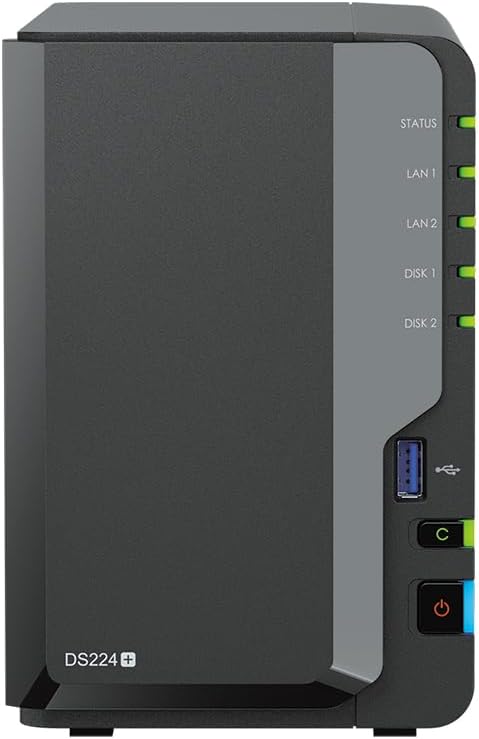
The single architectural divergence that decides the choice between these two storage systems comes down to multi-drive office scalability versus streamlined personal media hosting. The Synology DS1522+ delivers a robust five-bay platform built for high-throughput multi-user collaboration, extensive data protection, and enterprise expansion up to fifteen drives, while the QNAP TS-233 provides a compact two-bay desktop appliance focused on centralized personal backups, automated photo indexing, and local media streaming.
Growing workgroups, virtualization hosts, and power users who demand heavy data throughput should select the Synology DS1522+. Home users and multimedia enthusiasts seeking a private cloud with integrated AI photo management and hardware video processing should choose the QNAP TS-233.
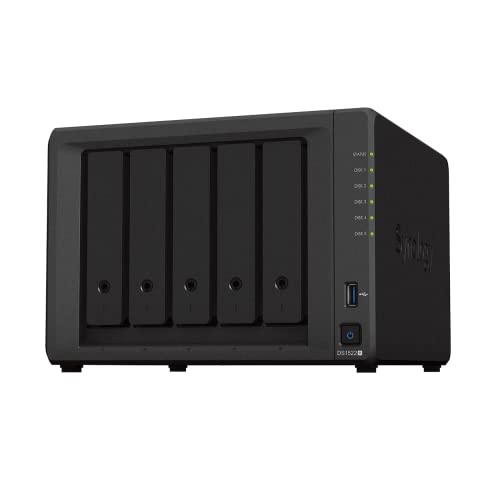

Synology DS1522+ vs QNAP TS-233 at a Glance
| Feature | Synology DS1522+ | QNAP TS-233 |
|---|---|---|
| Native Drive Bays | 5 bays | 2 bays |
| Maximum Drive Expansion | Up to 15 drives (via 2 DX517 units) | Not listed |
| Processor Platform | Not listed | 64-bit Cortex-A55 quad-core 2.0 GHz |
| Installed System Memory | Not listed | 2 GB |
| Network Ports | 4 x 1GbE LAN ports | 1 x 1GbE LAN port |
| Network Expansion Options | Optional 10GbE connectivity | Not listed |
| Sequential Read/Write Performance | Up to 736 MB/s read, 796 MB/s write | 125 MB/s media speed (3 Gbps transfer rate) |
| Media and AI Acceleration | Built-in file and photo management | NPU image recognition, ARM NEON transcoding |
| Ransomware Protection | Data protection and surveillance solutions | Snapshot protection against ransomware |
| Dimensions and Weight | 9.17″D x 9.06″W x 6.54″H; 4190 g | Not listed (supports 2.5″ and 3.5″ drives) |
| Hardware Warranty | 3 Years | Not listed |
| Best For | Multi-client office environments, backups, and virtualization | Personal cloud storage, photo sorting, and home entertainment |
Drive Bays and Long-Term Scalability
Storage capacity and bay count establish the ceiling for how long a network appliance can serve your environment before requiring a full replacement. Drive bays dictate not only how much raw capacity can be installed, but also what array configurations and redundancy levels can be maintained without compromising available workspace. Evaluating the Synology DS1522+ 5 bay vs 2 bay layout on the rival device shows fundamentally different approaches to storage lifecycles.
The DS1522+ launches with five native hot-swappable bays, giving administrators immediate flexibility to deploy fault-tolerant multi-disk arrays with dedicated parity disks. Beyond its base chassis, the DS1522+ supports adding up to 10 extra drive bays by attaching two DX517 expansion units, allowing the platform to scale to a maximum of 15 storage drives over time. In contrast, the TS-233 is a dedicated two-bay desktop chassis accommodating 2.5-inch and 3.5-inch SATA 6.0 Gb/s drives, with no expansion unit support noted in its specifications. Comparing this two-bay format against larger multi-bay hardware, as seen in evaluations like the synology ds1522+ vs qnap ts-464, demonstrates how five-bay setups eliminate the space bottlenecks that limit two-bay enclosures.
Operating a two-bay unit means configuring two mirrored disks or running independent volumes, which caps total usable space as your digital footprint grows. The DS1522+ avoids early hardware retirement by allowing drives to be added incrementally across five internal slots and ten additional expansion bays. For offices archiving high-resolution footage or backing up multiple desktop systems, the DS1522+ offers an expansive runway that a fixed two-bay system cannot match.
Edge: Synology DS1522+ because it offers five native drive bays and scales up to fifteen storage drives with expansion units.
Network Throughput and Interface Capabilities
Network connectivity determines how quickly data moves between connected workstations and your centralized volumes. A network-attached storage unit can hold terabytes of rapid disk arrays, but if its physical network interfaces are constrained, multi-client access slows to a crawl during file transfers and scheduled backup windows. The physical port layout directly influences real-world workflow efficiency in busy home offices and commercial settings.
Networking represents one of the starkest contrasts in the DS1522+ vs TS-233 specs. The DS1522+ comes equipped with four 1GbE network ports that integrate into standard network switches, and it features an expansion slot for an optional Synology DS1522+ 10GbE upgrade module to tackle bandwidth-heavy operations. These network interfaces help drive sequential throughput numbers up to 736 MB/s read and 796 MB/s write. The TS-233 features a single 1GbE LAN port, delivering a media transfer speed of 125 MB/s and a SATA controller transfer rate of 3 gigabits per second. Those evaluating mid-tier alternatives often weigh the synology ds923+ vs qnap ts-233 to assess network balance, but the DS1522+ stands out here with its quad-port design.
In day-to-day use, the quad LAN ports on the DS1522+ allow link aggregation and failover across multiple subnets, keeping connections stable when several users transfer large archives simultaneously. The TS-233 is strictly limited to single gigabit pipeline speeds, meaning concurrent tasks such as desktop backups and video playback must share that 125 MB/s ceiling. The DS1522+ provides substantial headroom for demanding environments that plan to transition to high-speed multi-gigabit networking.
Edge: Synology DS1522+ due to its four 1GbE LAN ports, optional 10GbE connectivity, and sequential transfer speeds reaching 796 MB/s.
Media Streaming, Hardware Transcoding, and AI Photo Management
Modern network storage devices are frequently tasked with managing personal memories, streaming entertainment, and indexing family photo libraries. Effective media serving relies heavily on specialized hardware acceleration to convert video formats on the fly and scan thousands of images without bogging down system responsiveness.
The TS-233 shines in home multimedia roles thanks to dedicated silicon optimizations. Its product specifications highlight hardware-accelerated transcoding supported by ARM NEON technology, making QNAP TS-233 media streaming a seamless process when delivering video content to varied client screens. Furthermore, the TS-233 integrates an NPU (Neural network Processing Unit) designed specifically for AI-powered image recognition, accelerating face and object detection across personal image collections. Readers reviewing modern multimedia units in comparisons like the synology ds423+ vs qnap ts-233 will recognize how these built-in media engines streamline daily entertainment streaming.
The DS1522+ offers built-in photo and file management software designed to organize digital assets reliably across teams, but the manufacturer listing does not specify hardware-accelerated transcoding or a dedicated NPU processor. When deployed as a pure media server, the DS1522+ relies on general-purpose compute power to handle media indexing and raw file delivery. For consumers prioritizing automated photo tagging and smooth streaming to mobile devices, the TS-233 provides hardware-tailored functionality right out of the box.
Edge: QNAP TS-233 because of its integrated NPU for AI image recognition and ARM NEON hardware-accelerated transcoding.
Home Office Integration, Data Protection, and Business Workloads
A network storage device serving professional users must safeguard critical business files against data loss, malicious software, and hardware disruptions. Beyond basic file sharing, modern appliances must support automated multi-device backups, virtualization environments, and security surveillance monitoring to protect the workplace.
When evaluating the Synology DS1522+ or QNAP TS-233 for home office duties, the DS1522+ provides a comprehensive software ecosystem out of the box. Its listing specifies built-in tools for data protection, virtualization, and surveillance solutions, allowing the unit to act as a centralized VM repository or camera recording hub. Synology also backs the unit with a 3-year warranty and validates broad client compatibility across Android, Desktop, Laptop, Server, and iPhone devices. Users comparing higher-bay office alternatives in guides like the synology ds923+ vs qnap ts-464 often observe that Synology prioritizes reliable office automation and operational continuity.
The TS-233 addresses security through snapshot protection against ransomware threats, enabling users to revert file states if malicious software compromises shared directories. It also incorporates myQNAPcloud for secure remote access, file syncing, and mobile collaboration. However, the listing indicates its specific uses are centered around personal and home environments, lacking the enterprise virtualization depth found on the DS1522+. For commercial office duty or intensive multi-server management, the DS1522+ is far better structured to protect business-critical operations.
Edge: Synology DS1522+ due to its native virtualization tools, surveillance capabilities, multi-platform server support, and 3-year warranty.
Hardware Processing Architecture and Physical Footprint
The physical construction and processing platform of a NAS determine where the device can be placed, how much power it consumes, and how comfortably it handles simultaneous background services. While compact appliances can sit neatly on a small home desk, larger multi-drive units require dedicated space and sufficient cooling airflow.
Examining the internal hardware reveals two distinct design philosophies. The TS-233 operates on an ARM platform powered by a 64-bit Cortex-A55 quad-core 2.0 GHz processor paired with 2 GB of memory. It features a minimalist desktop form factor that blends into home offices or media consoles. Those asking is QNAP TS-233 worth it will find that its energy-efficient ARM processor and compact desktop footprint make it an unobtrusive addition to personal workspaces. Similar form factor evaluations appear in comparisons such as the synology ds423+ vs qnap ts-464, highlighting how smaller units fit tight home desks.
The DS1522+ is a substantial piece of hardware, measuring 9.17 inches deep, 9.06 inches wide, and 6.54 inches high, with a bare weight of 4190 grams (over 9 pounds). Its multi-voltage power adapter supports 100-240V inputs to ensure stability in varied operating environments. While the listing does not specify the exact processor brand or installed memory size for the DS1522+, its documented throughput of 736 MB/s read and 796 MB/s write indicates substantial processing capacity capable of driving multiple high-speed drives simultaneously. The TS-233 wins on physical compactness, but the DS1522+ delivers the heavy-duty chassis required for serious enterprise arrays.
Edge: Tie. The TS-233 delivers a compact desktop footprint with an efficient Cortex-A55 CPU, while the DS1522+ provides heavy-duty enterprise construction and multi-voltage power engineering.
Pros and Cons
Synology DS1522+

Pros
- Five bays expandable to fifteen drives
- Up to 796 MB/s sequential write throughput
- Four 1GbE ports with optional 10GbE support
- Virtualization and surveillance support
- Three-year manufacturer warranty
Cons
- Heavy 4190-gram physical footprint
- Listing does not specify CPU model
- Hardware video transcoding not listed
View Synology DS1522+ on Amazon
QNAP TS-233

Pros
- Quad-core Cortex-A55 processor with NPU
- Hardware-accelerated transcoding via ARM NEON
- Snapshot protection against ransomware
- Compact minimalist desktop form factor
Cons
- Limited to two native drive bays
- Single 1GbE network interface restricts throughput
- Fixed 2 GB memory capacity
Who Should Buy Each One
Choose the Synology DS1522+ If
- You need extensive data capacity across five native drive bays with expansion up to fifteen drives.
- You manage high-throughput office workflows requiring four 1GbE ports or an optional 10GbE network upgrade.
- You require integrated data protection, virtualization tools, and surveillance solutions backed by a 3-year warranty.
- You transfer massive files frequently and need sequential write speeds up to 796 MB/s across multiple workstations.
Choose the QNAP TS-233 If
- You want a compact two-bay desktop cloud device for personal backups and everyday file synchronization.
- You stream video content locally and want ARM NEON hardware-accelerated transcoding support.
- You manage personal photo libraries and want AI-powered face and object recognition accelerated by a dedicated NPU.
- You need snapshot protection against ransomware threats in a streamlined home entertainment hub.
Final Verdict
For small offices, creative studios, and serious data managers, the Synology DS1522+ is the definitive choice. Its five native drive bays, massive expansion ceiling of up to fifteen drives via dual DX517 units, four 1GbE network ports with 10GbE upgradeability, and sequential write speeds reaching 796 MB/s place it in an entirely different performance tier. Backed by a 3-year warranty and advanced virtualization tools, the DS1522+ easily accommodates expanding multi-user workloads without encountering early hardware limits.
The QNAP TS-233 remains the ideal match for individuals who want an accessible, self-hosted personal cloud and multimedia server without enterprise complexity. With its 64-bit Cortex-A55 quad-core processor, dedicated NPU for automated photo sorting, ARM NEON transcoding engine, and snapshot protection against ransomware, the TS-233 delivers exceptional home utility within a compact desktop footprint. If your primary goals are media streaming and private cloud backups, the TS-233 fulfills those requirements efficiently.
FAQ
Can the Synology DS1522+ connect to a 10GbE network?
Yes. While the DS1522+ includes four standard 1GbE LAN ports for basic network integration, its specifications confirm support for an optional 10GbE network module to handle specialized, bandwidth-heavy applications.
Does the QNAP TS-233 support snapshot protection against ransomware?
Yes. The TS-233 listing specifies snapshot protection capabilities, which record the state of your data at specific points in time to help recover files in the event of accidental deletion or ransomware threats.
How many drives can the Synology DS1522+ support when expanded?
The DS1522+ features five native storage bays and supports up to 10 additional bays by attaching two DX517 expansion units, allowing for a maximum of 15 storage drives in total.
Does the QNAP TS-233 include dedicated AI processing for photos?
Yes. The TS-233 features a built-in NPU (Neural network Processing Unit) that accelerates AI-powered image recognition, improving the speed and efficiency of face and object recognition in personal photo libraries.
What warranty coverage is included with the Synology DS1522+?
The Synology DS1522+ comes with a 3-year manufacturer warranty covering the main unit and hardware components against defects.
Can the QNAP TS-233 handle hardware-accelerated video transcoding?
Yes. The TS-233 includes ARM NEON technology designed to accelerate video processing and deliver hardware-accelerated transcoding for home entertainment streaming.