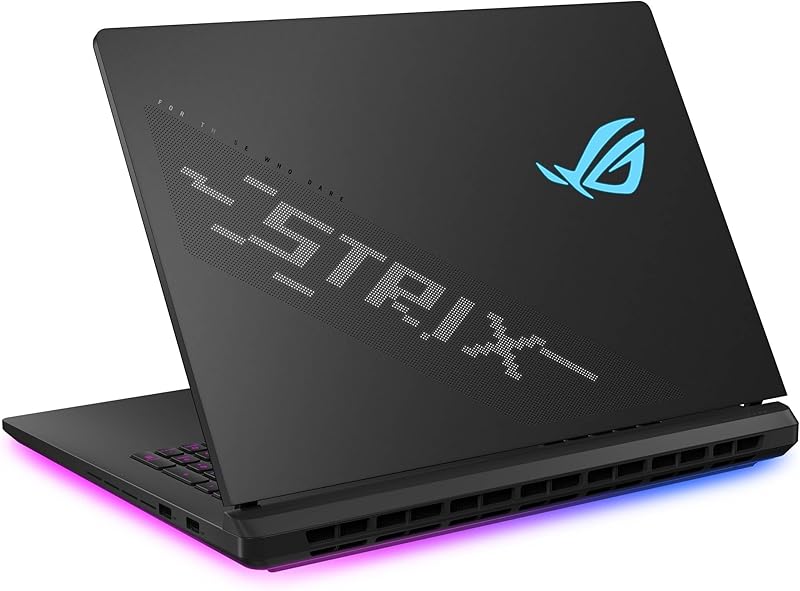
The decisive difference between the Asus TUF Gaming A15 and the Asus Zenbook 14 OLED comes down to dedicated graphics processing versus multi-display mobile productivity. The TUF Gaming A15 relies on an independent NVIDIA GeForce RTX 3050 GPU paired with a 144Hz high-refresh display to drive smooth frame rates, whereas the Zenbook Duo 14 OLED incorporates two 3K 120Hz touchscreens, an Intel Core Ultra 9 processor, and a massive memory pool into an ultra-thin form factor.
Gamers and budget-conscious creators prioritizing dedicated 3D rendering hardware should choose the Asus TUF Gaming A15. Mobile professionals, power multitaskers, and executives who need dual high-resolution OLED panels and lightweight portability should choose the Asus Zenbook 14 OLED.


Asus TUF Gaming A15 vs Asus Zenbook 14 OLED at a Glance
| Feature | Asus TUF Gaming A15 | Asus Zenbook 14 OLED |
|---|---|---|
| Processor | AMD Ryzen 5 7535HS | Intel Core Ultra 9 285H with Intel AI Boost NPU |
| Graphics Coprocessor | NVIDIA GeForce RTX 3050 (up to 70W TGP, 4GB) | Intel Arc Graphics (Integrated) |
| System Memory | 8GB DDR5-5600MHz | 32GB LPDDR5x |
| Storage Drive | 512GB PCIe 4.0 NVMe SSD | 1TB PCIe 4.0 SSD |
| Display Configuration | 15.6-inch FHD (1920×1080) Anti-Glare | Dual 14-inch 3K (2880 x 1800) Lumina OLED Touchscreens |
| Refresh Rate | 144Hz with Adaptive-Sync | 120Hz |
| Battery Capacity and Runtime | Not listed | 75Wh (Up to 16h laptop mode, 9h dual-screen mode) |
| Chassis Weight | 7.00 pounds | 3.64 pounds |
| Wireless Connectivity | Wi-Fi 6 | Wi-Fi 7 and Bluetooth 5.4 |
| Durability Standard | MIL-STD-810H | MIL-STD-810H |
| Best For | Entry-level PC gaming and GPU-accelerated tasks | Executive multi-screen productivity and mobile content workflows |
Graphics and Gaming Performance
Raw graphics horsepower determines whether a laptop can handle modern gaming pipelines, complex rasterization, and 3D modeling environments. The TUF Gaming A15 features an NVIDIA GeForce RTX 3050 laptop GPU configured with a total graphics power (TGP) of up to 70W using Dynamic Boost and 4GB of dedicated video memory. This discrete silicon delivers dedicated ray tracing and hardware encoding, functioning as a true gaming core. In contrast, the Zenbook 14 OLED relies on integrated Intel Arc graphics embedded directly on the Intel Core Ultra 9 285H die, sharing system memory rather than utilizing a distinct VRAM bus.
In actual gameplay, this architectural difference is stark. The TUF Gaming A15 coordinates with its 144Hz FHD panel and Adaptive-Sync technology to dynamically match refresh rates with GPU output, actively eliminating screen tearing and minimizing stuttering in fast-paced competitive titles. While the integrated Intel Arc graphics on the Zenbook DUO provide capable rendering for everyday visuals and lighter multimedia tasks, they lack the dedicated memory bandwidth and high thermal ceiling needed to sustain competitive frame rates in demanding modern titles. When deciding between the asus tuf gaming a15 vs acer predator helios neo 16 or evaluating the Asus TUF Gaming A15 or Zenbook 14 OLED for gaming, having an independent 70W graphics processor makes the TUF the fundamentally superior hardware platform for 3D simulation.
The trade-off comes down to graphic utility. The TUF Gaming A15 gives up power efficiency and battery endurance to maintain adequate wattage across its dedicated NVIDIA silicon. The Zenbook preserves energy and packaging space by relying on unified integrated graphics, which suits creative editing and video streaming but limits pure gaming throughput to casual or lower-fidelity experiences.
Edge: Asus TUF Gaming A15 delivers significantly better gaming performance due to its dedicated 70W NVIDIA GeForce RTX 3050 GPU and 144Hz Adaptive-Sync display.
Display Visuals and Multi-Screen Workspace
Display technology dictates your visual clarity, color precision, and usable screen workspace. The Asus TUF Gaming A15 vs Zenbook 14 OLED display comparison highlights two completely different philosophies. The TUF Gaming A15 equips a traditional 15.6-inch Full HD clamshell screen with an anti-glare coating and a 144Hz refresh rate. It is designed specifically for gaming clarity and reducing reflections under ambient room lighting, prioritizing motion smoothness over extreme pixel density or broad color gamuts.
The Zenbook 14 OLED transforms mobile screen real estate by deploying dual 14-inch Lumina OLED touch displays. Each screen operates at a sharp 3K resolution (2880 x 1800) in a taller 16:10 aspect ratio, reaching a peak HDR brightness of 500 nits. Color fidelity is professional-grade with 100% DCI-P3 coverage and Pantone validation. When the detachable magnetic keyboard is set aside, the Zenbook’s built-in kickstand props up both panels to yield an expansive 19.8-inch continuous visual workspace. Users can switch between Dual Screen Mode, Desktop Mode, Sharing Mode, and traditional Laptop Mode, interacting directly via fingers or the included ASUS Pen 2.0 with MPP 2.0 support.
For creative professionals examining an Asus Zenbook 14 OLED review, the dual Lumina OLED panels offer far superior contrast, infinite black levels, and granular detail compared to the basic FHD panel on the TUF. While the TUF panel is faster in raw refresh rate at 144Hz versus 120Hz, the Zenbook delivers twice the screen area, vastly higher pixel density, touch and stylus capabilities, and verified color precision.
Edge: Asus Zenbook 14 OLED wins easily with its dual 3K 120Hz Lumina OLED touchscreens, 500-nit HDR brightness, and 100% DCI-P3 color reproduction.
Processing Power and Multitasking Capacity
A laptop’s core computing performance depends on how its central processor, memory configuration, and storage operate under heavy workloads. In this Asus TUF Gaming A15 vs Zenbook 14 OLED performance face-off, the machines sit in entirely different performance brackets. The TUF Gaming A15 features an AMD Ryzen 5 7535HS processor backed by 8GB of DDR5-5600MHz memory and a 512GB PCIe 4.0 NVMe solid-state drive. This configuration is built for baseline gaming operations and standard multitasking, but an 8GB memory ceiling can introduce system bottlenecks when juggling heavy browser sessions alongside modern games or render tasks.
The Zenbook 14 OLED pushes internal specs to top-tier levels with the cutting-edge Intel Core Ultra 9 285H processor, which integrates an Intel AI Boost NPU dedicated to hardware-accelerated machine learning tasks. ASUS pairs this flagship processor with 32GB of ultra-fast LPDDR5x RAM and a massive 1TB PCIe 4.0 SSD. When evaluating the Asus TUF Gaming A15 or Zenbook 14 OLED for work, the Zenbook’s quadrupled memory capacity and doubled storage space allow professionals to run complex virtual machines, massive datasets, and intensive creative software without running out of memory headroom.
While the TUF’s Ryzen 5 7535HS provides dependable clock speeds for gaming loops, the Core Ultra 9 285H inside the Zenbook provides far greater core architecture advantages and on-chip AI acceleration. When checking comparisons like the asus tuf gaming a15 vs proart p16, memory capacity emerges as a critical productivity divider. The Zenbook delivers a complete, future-proofed hardware package out of the box, whereas the TUF provides entry-level capacity that may quickly demand user upgrades.
Edge: Asus Zenbook 14 OLED dominates with its Intel Core Ultra 9 285H processor, integrated NPU, 32GB LPDDR5x RAM, and 1TB SSD.
Portability, Dimensions, and Battery Life
For buyers who work away from a desk, physical dimensions, total carry weight, and battery endurance determine everyday feasibility. The Zenbook 14 OLED is engineered from the ground up for travelers and mobile operators. It measures 12.34 inches by 8.58 inches, with a thickness ranging from 0.57 to 0.78 inches, and weighs just 3.64 pounds. Inside, it packs an all-day 75Wh battery that delivers up to 16 hours of video playback in standard Laptop mode and up to 9 hours when powering both OLED panels simultaneously. Recharging is handled via versatile Thunderbolt 4 ports using a compact 65W USB-C charger.
The TUF Gaming A15, on the other hand, adopts a traditional clamshell gaming profile. The listing specifies an item weight of 7.00 pounds, making it nearly twice as heavy to carry in a backpack. While the listing does not specify the exact milliamp-hour or watt-hour capacity and runtime for the TUF’s battery, performance laptops with discrete 70W GPUs require substantial power draw and traditional brick chargers that add extra bulk to your travel kit. If battery longevity is your primary concern, the Asus TUF Gaming A15 vs Zenbook 14 OLED battery life comparison tilts overwhelmingly toward the Zenbook.
Carrying the TUF requires committing to a heavier, bulkier device best suited for static desk use near an outlet. By contrast, the Zenbook 14 OLED slips into the included protective sleeve and provides true multi-screen capability anywhere from airport lounges to coffee shop tables without demanding an immediate hunt for wall power.
Edge: Asus Zenbook 14 OLED wins decisively due to its 3.64-pound lightweight chassis, slim profile, and 75Wh battery with up to 16 hours of rated playback.
Thermal Cooling and Physical Durability
Hardware longevity and sustained high performance depend heavily on internal cooling engineering and structural build quality. The TUF Gaming A15 is engineered to tame higher thermal dissipation from its combined Ryzen CPU and 70W RTX GPU. To manage this heat load, ASUS equipped the chassis with a pair of 84-blade Arc Flow Fans designed to maximize airflow across internal heatsinks while minimizing acoustic noise. The chassis also features spill-resistant construction and an integrated TrackPoint, alongside an anti-glare screen treatment that withstands demanding usage.
The Zenbook 14 OLED solves a very different engineering challenge: dissipating heat from a flagship Intel Core Ultra 9 processor inside a thin 0.57-inch frame while driving two active OLED displays. While it lacks the large exhaust vents of a thick gaming laptop, its power-efficient platform and integrated graphics generate lower overall thermal wattage. Both machines demonstrate exceptional structural resilience by meeting rigorous US MIL-STD-810H military reliability standards, passing testing against drops, heavy vibration, high humidity, and extreme operational temperatures.
For readers who have browsed the asus rog zephyrus g14 vs zenbook 14 oled analysis, build quality across modern ASUS machines is consistently solid. The TUF provides rugged physical protection with high-flow dual fans and spill resistance, while the Zenbook combines military-grade durability with an integrated kickstand and magnetic detachable keyboard mechanism. Because both hold identical MIL-STD-810H certifications while effectively managing their respective thermal requirements, this category results in parity.
Edge: Tie. Both laptops achieve MIL-STD-810H military-grade durability certification and feature cooling systems tailored specifically to their distinct thermal profiles.
I/O Connectivity and Included Accessories
Peripheral expandability and bundled equipment influence day-to-day usability. The Zenbook 14 OLED features an advanced port selection that includes two Thunderbolt 4 USB-C ports with fast charging and display support, a USB 3.2 Gen 1 Type-A port, an HDMI 2.1 TMDS port, and a combo audio jack. In terms of wireless standards, it incorporates cutting-edge Wi-Fi 7 and Bluetooth 5.4. Furthermore, ASUS bundles the Zenbook DUO with premium accessories right in the box: a protective ASUS Sleeve, an ASUS Pen 2.0 SA203H stylus with MPP 2.0 protocol support, and a compact 65W USB-C power adapter.
The TUF Gaming A15 provides foundational connectivity centered around Wi-Fi 6 and Windows 11 Home. It features standard audio headphone support, an internal front-facing camera, and traditional peripheral connectivity for gaming mice and headsets. However, the listing does not specify Thunderbolt 4 support or include specialized productivity accessories such as an active stylus or carrying sleeve in the packaging.
When comparing connectivity against thin-and-light alternatives like the asus tuf gaming a15 vs acer swift go 14, having dual Thunderbolt 4 ports alongside Wi-Fi 7 provides the Zenbook with greater overall bandwidth for high-speed docking stations and external monitors. The included stylus and protective sleeve also mean buyers do not need to purchase separate input peripherals to maximize the dual touchscreens.
Edge: Asus Zenbook 14 OLED wins with dual Thunderbolt 4 ports, Wi-Fi 7, Bluetooth 5.4, and bundled accessories including the ASUS Pen 2.0 and protective sleeve.
Pros and Cons
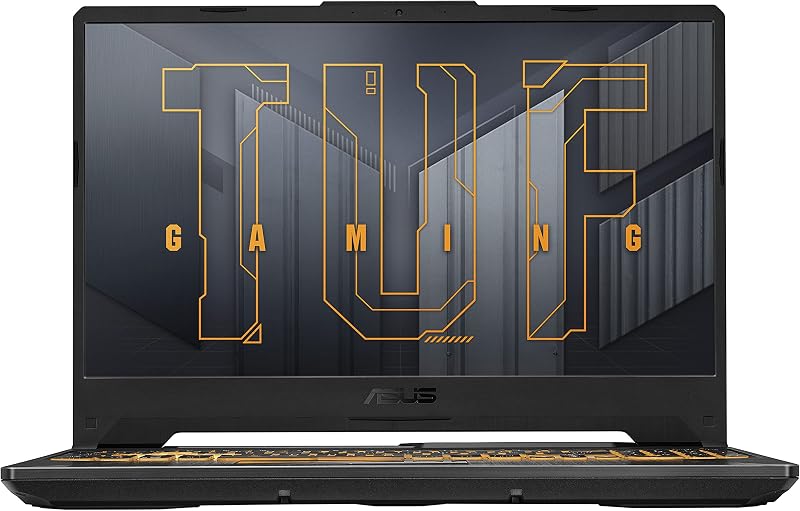
Asus TUF Gaming A15
Pros
- Dedicated NVIDIA GeForce RTX 3050 GPU
- Fast 144Hz display with Adaptive-Sync
- Dual 84-blade Arc Flow cooling fans
- MIL-STD-810H military-grade toughness
- Spill-resistant keyboard construction
Cons
- Heavier 7-pound chassis weight
- Only 8GB of system memory included
- Battery runtime not listed by manufacturer
View Asus TUF Gaming A15 on Amazon
Asus Zenbook 14 OLED

Pros
- Dual 14-inch 3K 120Hz OLED touchscreens
- Powerful Intel Core Ultra 9 with NPU
- Generous 32GB RAM and 1TB SSD
- Long-lasting 75Wh battery with fast charging
- Includes ASUS Pen 2.0 and protective sleeve
Cons
- Integrated Intel Arc graphics instead of dedicated GPU
- Lower 9-hour battery life in dual-screen mode
View Asus Zenbook 14 OLED on Amazon
Who Should Buy Each One
Choose the Asus TUF Gaming A15 If
- You want dedicated NVIDIA GeForce RTX 3050 graphics with up to 70W TGP for playing modern 3D games and esports titles.
- You prioritize a 144Hz high-refresh display with Adaptive-Sync to eliminate visual tearing and stuttering during fast gameplay.
- You require a rugged, spill-resistant clamshell chassis with high-volume Arc Flow Fan cooling designed for sustained gaming loads.
- You prefer a traditional 15.6-inch form factor with an anti-glare screen coating for standard desk-bound computing.
Choose the Asus Zenbook 14 OLED If
- You need the massive productivity boost of dual 14-inch 3K Lumina OLED touchscreens that expand into a 19.8-inch portable workspace.
- You require heavy multitasking hardware, including an Intel Core Ultra 9 processor with an AI NPU, 32GB LPDDR5x RAM, and a 1TB SSD.
- You prioritize lightweight travel mobility with a 3.64-pound body and an all-day 75Wh battery offering up to 16 hours of video playback.
- You want active stylus input with the bundled ASUS Pen 2.0, Pantone validated 100% DCI-P3 color accuracy, and high-speed Wi-Fi 7 connectivity.
Final Verdict
Evaluating the Zenbook 14 OLED vs Asus TUF Gaming A15 reveals two exceptional machines engineered for completely different audiences. If your daily computing revolves around gaming, 3D simulation, and tasks that require hardware-accelerated rasterization, the Asus TUF Gaming A15 is the definitive choice. Its dedicated NVIDIA GeForce RTX 3050 graphics card, 144Hz Adaptive-Sync display, and robust dual Arc Flow Fans deliver the hardware foundation required to run modern PC gaming titles smoothly. In an Asus TUF Gaming A15 review, its value centers entirely on delivering dedicated GPU muscle inside a durable, military-tested clamshell body, answering the question of whether is Asus TUF Gaming A15 worth it for entry-level gamers with a clear affirmative.
For almost every other use case-including mobile office productivity, software engineering, digital art, executive travel, and multi-window research-the Asus Zenbook 14 OLED is the superior overall device. Weighing just 3.64 pounds while housing dual 3K 120Hz OLED panels, an Intel Core Ultra 9 processor with AI Boost, 32GB of RAM, and a 75Wh battery, it represents a generational leap in mobile workflow efficiency. Anyone asking is Asus Zenbook 14 OLED worth it will find that the massive screen real estate, bundled ASUS Pen 2.0, and superior memory capacity easily justify selecting it over a standard gaming clamshell for daily productivity.
FAQ
Can the Asus Zenbook 14 OLED run modern PC games effectively?
The Asus Zenbook 14 OLED relies on integrated Intel Arc graphics rather than a dedicated graphics card. While it can easily handle casual games, older titles, and light indie games at reduced settings, it is not designed to run demanding AAA titles with high frame rates. Buyers focused primarily on gaming should choose the dedicated NVIDIA GeForce RTX 3050 GPU found on the Asus TUF Gaming A15.
Does the Asus TUF Gaming A15 feature a touchscreen or stylus support?
No, the Asus TUF Gaming A15 utilizes a standard 15.6-inch non-touch Full HD display equipped with an anti-glare matte coating. It does not support active stylus pens or touch navigation. If you need touchscreen capability and pen input, the Asus Zenbook 14 OLED includes dual touchscreens and comes bundled with the ASUS Pen 2.0.
How do the batteries compare between the TUF Gaming A15 and Zenbook 14 OLED?
The Asus Zenbook 14 OLED is equipped with a high-capacity 75Wh battery that provides up to 16 hours of video playback in single-screen laptop mode and up to 9 hours in dual-screen mode, supported by fast-charging over Thunderbolt 4. The listing for the Asus TUF Gaming A15 does not specify battery capacity or runtime figures, but high-power gaming laptops with dedicated 70W GPUs generally provide substantially shorter battery runtimes under load.
Can you upgrade the RAM and storage on these laptops?
The Asus TUF Gaming A15 comes configured with 8GB of DDR5-5600MHz memory and a 512GB PCIe 4.0 SSD. The Zenbook 14 OLED comes pre-configured with 32GB of high-speed LPDDR5x RAM and a 1TB PCIe 4.0 SSD. The listing does not specify internal motherboard expansion slots for either laptop, so buyers requiring extensive memory out of the box should lean toward the Zenbook’s 32GB configuration.
Which laptop has the better screen for photo and video editing?
The Asus Zenbook 14 OLED is vastly superior for creative visual work. It features dual 3K Lumina OLED panels with a 2880 x 1800 resolution, 500 nits peak HDR brightness, 100% DCI-P3 wide color coverage, and Pantone validation. The TUF Gaming A15 features a standard Full HD anti-glare display built for 144Hz gaming motion rather than color-critical design work.
How does the dual-screen setup work on the Zenbook 14 OLED?
The Zenbook 14 OLED features two 14-inch OLED panels connected by a central hinge, paired with a built-in kickstand and a detachable Bluetooth magnetic keyboard. You can place the keyboard directly over the bottom screen to use it like a traditional 14-inch clamshell laptop, or detach the keyboard to reveal both screens simultaneously, creating a vertical or horizontal 19.8-inch workspace managed by ASUS ScreenXpert software.