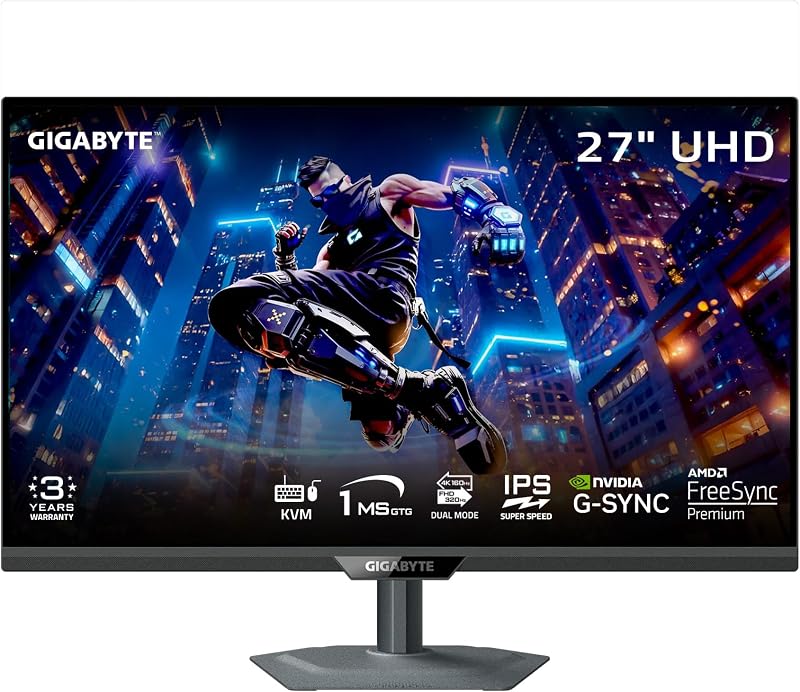
The decisive difference between these two UltraGear displays centers on panel resolution and display flexibility: the LG 27GS95QE features a dedicated 27-inch 1440p screen at 240Hz, while the LG 32GS95UE delivers a larger 32-inch 4K panel equipped with a hardware dual-mode switch capable of running Full HD at 480Hz.
Players focused on high-speed competitive esports who prefer a tighter view will want the 27-inch model, while enthusiasts wanting premium 4K graphical immersion alongside variable refresh options should pick the 32-inch version.

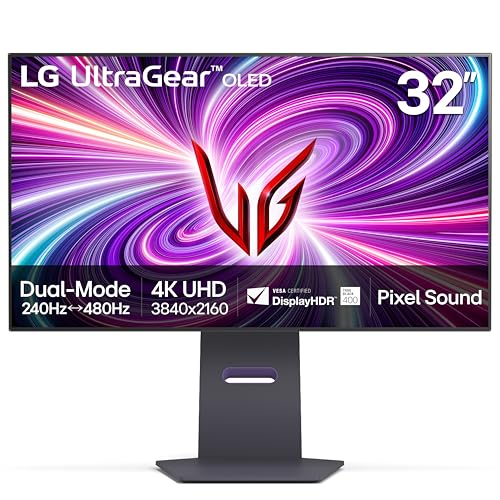
LG 27GS95QE vs LG 32GS95UE at a Glance
| Feature | LG 27GS95QE | LG 32GS95UE |
|---|---|---|
| Screen Size | 27 inches | 32 inches (31.5-inch panel) |
| Native Resolution | 2560 x 1440 (QHD) | 3840 x 2160 (4K UHD) |
| Refresh Rate | 240Hz | 240Hz (Native) / 480Hz (Dual Mode) |
| Response Time | 0.03ms (GtG) | 0.03ms (GtG) |
| Pixel Pitch | 0.23 mm | 0.18 mm |
| HDR Certification | VESA DisplayHDR True Black 400 | VESA DisplayHDR True Black 400 |
| Audio Integration | Not listed | Pixel Sound (CSO, woofer, DTS Virtual:X) |
| Weight | 16.2 lbs | 19.8 lbs |
| Dimensions (D x W x H) | 10.2 x 23.8 x 22.6 inches | 10.9 x 28.1 x 24.6 inches |
| Power Consumption | 37.7 watts | the listing does not specify |
| Manufacturer Warranty | the listing does not specify | 2 Year Limited (includes OLED panel) |
| Best For | Competitive esports setups | Versatile high-end gaming and multimedia |
Resolution and Visual Sharpness
Resolution directly governs pixel density, desktop workspace, and visual clarity across gaming environments. The 27GS95QE operates at a native resolution of 2560 x 1440 across its 27-inch panel, resulting in a pixel pitch of 0.23 mm. In contrast, the 32GS95UE delivers a 3840 x 2160 native resolution across its 32-inch surface, achieving a tighter pixel pitch of 0.18 mm. A smaller pixel pitch produces higher image density, rendering fine textures, distant geometric elements, and fine lines with noticeable precision.
When running visually demanding single-player titles, the 4K panel provides deeper environmental immersion and reduced aliasing without requiring aggressive anti-aliasing techniques. Gamers who have browsed the lg 27gs95qe vs msi mpg 321urx comparison know that stepping up to higher pixel densities changes the graphical fidelity significantly. For standard desktop work and creative media playback, the increased desktop canvas on the 32-inch screen accommodates side-by-side applications comfortably, whereas the 1440p panel limits usable screen boundaries.
While the 1440p format on the 27GS95QE remains clear for everyday gaming, it cannot match the micro-detail rendered by the 3840 x 2160 screen. Both monitors utilize an anti-glare, low-reflection matte screen finish with a 1,500,000:1 contrast ratio, ensuring highlights remain crisp against deep black backdrops, but the 32GS95UE holds a distinct advantage in fine detail resolution.
Edge: LG 32GS95UE because its 4K UHD resolution and tighter 0.18 mm pixel pitch provide superior clarity and graphical detail.
Refresh Rates and Dual Mode Flexibility
Refresh rates dictate animation fluidity, input response, and image tracking clarity during rapid motion. The 27GS95QE delivers a steady 240Hz refresh rate across its 1440p resolution. In any comprehensive LG 27GS95QE review, this standard 240Hz output is praised for delivering fluid frame rates that match the rendering capabilities of modern graphics cards without introducing bottleneck issues.
The 32GS95UE alters the traditional formula by integrating a VESA Certified Dual Mode system. In its default state, the display drives 4K content at 240Hz. However, when competitive speed takes priority over raw visual detail, the user can switch to Full HD 1080p output at a massive 480Hz refresh rate. Testing this against competing panels in the alienware aw2725df vs lg 27gs95qe matchup shows how valuable dedicated high-refresh configurations are for fast-paced shooters.
Both monitors achieve a lightning-quick 0.03ms gray-to-gray (GtG) response time, virtually eliminating motion ghosting and trailing artifacts behind fast-moving sprites. Furthermore, both panels support variable refresh rate tech through official NVIDIA G-SYNC Compatibility and AMD FreeSync Premium Pro over HDMI 2.1 and DisplayPort 1.4. Nonetheless, the LG 32GS95UE dual mode 480Hz capability gives high-end players the versatility to toggle between maximum resolution and unprecedented frame refresh speed.
Edge: LG 32GS95UE thanks to its dual-mode capability that allows users to toggle between 4K at 240Hz and Full HD at 480Hz.
Esports Suitability and Hardware Demands
Choosing between the LG 27GS95QE or 32GS95UE for esports comes down to human field of view and system graphics load. A 27-inch diagonal frame has long stood as the gold standard in competitive play because the entire display surface falls comfortably within a player’s central vision. Users do not need to turn their head or make wide saccadic eye movements to catch peripheral HUD indicators, mini-maps, or enemy movements along the screen edges.
Additionally, pushing 240 frames per second at 1440p requires significantly less computing muscle from your graphics processor than pushing 240 frames per second at 4K. Gamers comparing options like the lg 27gs95qe vs asus rog swift pg27aqdm know that consistent frame pacing is essential for competitive consistency. The 27GS95QE allows modern mid-range to high-end graphics cards to hit maximum refresh rates reliably without lowering graphics settings to extreme minimums.
The 32GS95UE accommodates esports through its 480Hz 1080p dual mode, but downscaling a 32-inch screen to 1080p introduces softer visual elements, and the physical 32-inch chassis remains wide for competitive peripheral vision. When evaluating the LG 27GS95QE vs LG 32GS95UE specs for purely competitive twitch-reflex gaming, the compact 27-inch form factor presents an inherently balanced viewing format that avoids unnecessary graphical strain.
Edge: LG 27GS95QE because its 27-inch screen size sits perfectly in competitive sightlines while demanding less graphics hardware power.
Integrated Audio and Sound Engineering
Audio integration on desktop gaming monitors is frequently an afterthought, but these two displays diverge sharply on sound hardware. The product listing for the 27GS95QE lists no integrated speaker drivers, meaning buyers must connect dedicated external desktop speakers or rely entirely on a gaming headset for all auditory cues and media tracks.
The 32GS95UE introduces LG’s proprietary Pixel Sound engineering. Instead of relying on downward-firing or rear-chassis speaker grilles, sound waves are emitted from behind the OLED panel directly toward the user. The listing specifies that this system utilizes Crystal Sound OLED (CSO) technology, a dedicated woofer, and DTS Virtual:X processing to deliver front-facing acoustic dispersion.
Front-directed sound provides clearer positional staging in gaming and streaming content compared to typical downward-firing monitor speakers. Those evaluating a potential LG 32GS95UE review will appreciate having quality sound projected directly from the screen surface during casual viewing sessions or when taking a break from a tight-fitting headset. This integrated setup reduces desk clutter by eliminating the need for standalone computer speakers.
Edge: LG 32GS95UE due to its advanced Pixel Sound system that emits direct front-facing audio through the OLED panel.
Physical Footprint, Build, and Connectivity
Both monitors share the UltraGear design ethos, utilizing dark chassis styling, virtually borderless bezels, and versatile stands supporting tilt, height, and swivel adjustments. Both screens feature an anti-glare low-reflection matte finish that tames harsh environmental light reflections from room lamps or side windows. When evaluating an alienware aw3423dwf vs lg 27gs95qe configuration, desktop space often decides the purchase, and these two LG units demand different spatial footprints.
The 27GS95QE measures 23.8 inches wide, 10.2 inches deep, and weighs 16.2 pounds, making it suitable for standard desks and multi-monitor arms. Its listed power consumption is rated at 37.7 watts. In comparison, the 32GS95UE measures 28.1 inches wide, 10.9 inches deep, and weighs 19.8 pounds, demanding substantial desktop clearance. While the power consumption for the 32-inch model is not listed in its specifications, it includes an official 2-year limited warranty covering internal components, labor, and the OLED panel itself.
Connectivity across both units is identical. Each display includes HDMI 2.1 and DisplayPort 1.4 ports capable of driving the maximum 240Hz refresh rate at their respective native resolutions with variable refresh rate support. Because both models feature identical ergonomics, premium anti-glare coatings, and matching video input selections, physical usability remains equal relative to their intended screen sizes.
Edge: Tie because both monitors share identical stand adjustability, anti-glare coatings, and modern HDMI 2.1 and DisplayPort 1.4 inputs.
Pros and Cons
LG 27GS95QE

Pros
- Rapid 240Hz refresh rate at 1440p
- Instantaneous 0.03ms GtG response time
- Deep 1,500,000:1 contrast with True Black 400
- Compact footprint fits smaller desks easily
- Standard 37.7W listed power draw
Cons
- Lacks high-resolution 4K playback
- No secondary high-speed dual mode
- Integrated speakers not included
LG 32GS95UE

Pros
- Dual mode offers 4K 240Hz or FHD 480Hz
- Crisp 0.18 pixel pitch on 32-inch screen
- Innovative Pixel Sound screen audio system
- Two-year OLED panel warranty included
- Nearly instant 0.03ms response time
Cons
- Heavier build at 19.8 pounds
- Wider 28.1-inch desk footprint required
Who Should Buy Each One
Choose the LG 27GS95QE If
- You play competitive first-person shooters where keeping the entire screen inside your focal vision is critical.
- You want high refresh rates without placing maximum strain on your graphics card.
- You work with a shallow or compact desk setup that benefits from a smaller 23.8-inch width.
- You prefer a dedicated 1440p gaming resolution that provides a balanced mix of speed and clarity.
Choose the LG 32GS95UE If
- You want expansive 4K UHD resolution for single-player visual immersion and expansive desktop workspaces.
- You demand extreme frame rates and want the option to engage 480Hz refresh speeds in Full HD.
- You value built-in front-firing sound technology that removes the necessity of external desk speakers.
- You desire the added security of a manufacturer-backed 2-year limited warranty that covers the OLED panel.
Final Verdict
For most enthusiasts choosing between the LG 32GS95UE vs 27GS95QE, the LG 32GS95UE stands out as the superior and more technologically advanced display. Its native 4K visual fidelity, tighter 0.18 mm pixel pitch, and innovative Pixel Sound setup deliver an outstanding sensory experience. The dual-mode feature makes it a remarkably versatile display, allowing gamers to jump from an immersive 4K cinematic title right into a hyper-fast 480Hz competitive shooter at the push of a button.
On the other hand, the 27GS95QE remains the ideal pick for dedicated esports competitors who operate in fast-paced competitive environments. Its 27-inch frame keeps all game elements in direct line of sight, its 1440p resolution is far easier to drive at continuous 240Hz frame rates, and its compact frame fits smaller workspaces easily. If high-speed tactical clarity is your singular objective, the 27-inch UltraGear delivers focused performance.
FAQ
Does the LG 27GS95QE support the 480Hz dual-mode feature?
No, the dual-mode feature is exclusive to the 32GS95UE. The 27GS95QE operates at a native refresh rate of 240Hz at 2560 x 1440 resolution and cannot be switched into a 480Hz mode.
Is the LG 32GS95UE worth it for mixed gaming genres?
Yes, the 32GS95UE is worth it because its hardware dual mode allows you to switch between sharp 4K resolution at 240Hz for immersive visual titles and 1080p at 480Hz for fast competitive games, making it versatile across different gaming genres.
Is LG 27GS95QE worth it for dedicated esports players?
Yes, the 27GS95QE is worth it for competitive players because its 27-inch screen size allows you to track HUD elements without moving your head, while its 1440p 240Hz combination delivers fluid motion that is easier for graphics hardware to sustain.
What ports are available on both UltraGear monitors?
Both displays provide HDMI 2.1 and DisplayPort 1.4 connections. Both video inputs support variable refresh rate technology and can deliver up to 240Hz at each display’s native resolution.
Do both displays feature built-in speakers?
No, only the 32GS95UE includes integrated audio via its Pixel Sound system, which drives sound directly from behind the panel. The listing for the 27GS95QE does not list integrated speakers.
Which monitor has a clearer picture for reading text and fine details?
The 32GS95UE provides a sharper image due to its tighter 0.18 mm pixel pitch and 3840 x 2160 native resolution, compared to the 0.23 mm pixel pitch and 2560 x 1440 resolution found on the 27GS95QE.