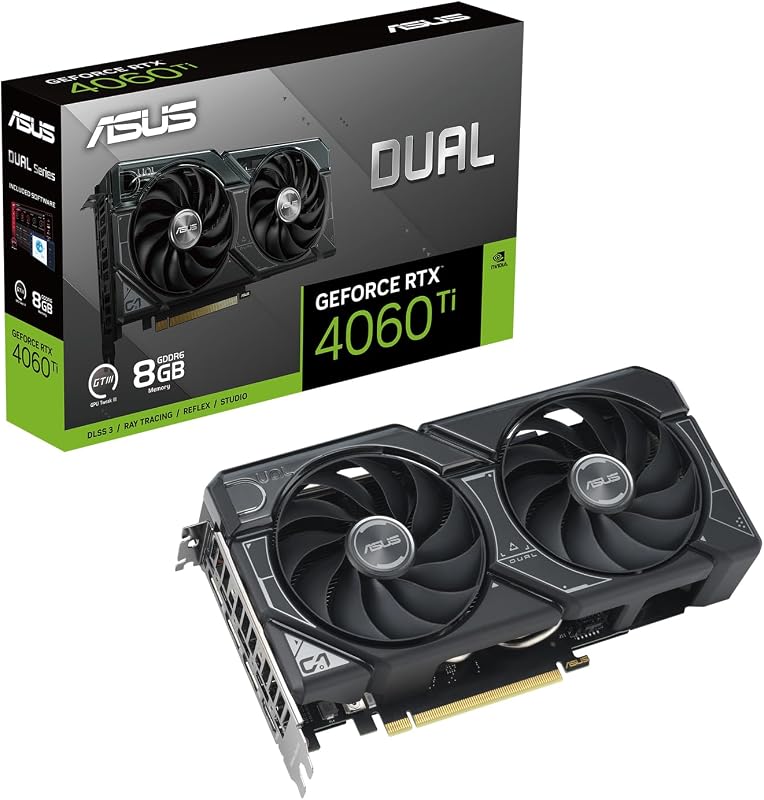
Choosing between the AMD RX 7800 XT and the flagship AMD RX 7900 XTX comes down to a fundamental split in hardware class: a 16GB GDDR6 frame buffer on a 256-bit bus versus a massive 24GB GDDR6 pool over a 384-bit bus backed by 96 compute units. While both cards share AMD RDNA 3 architecture, the extra memory width, compute density, and raw bandwidth define whether your rig is built for blistering 1440p frame rates or uncompromising 4K fidelity.
Pick the AMD RX 7800 XT if your goal is elite 1440p gaming on a standard 700W power supply without having to accommodate an oversized card chassis. Choose the AMD RX 7900 XTX if you demand peak 4K rendering performance, need 24GB of VRAM for heavy creative workloads, and have the physical clearance for an enthusiast-grade triple-fan cooler.


AMD RX 7800 XT vs AMD RX 7900 XTX at a Glance
| Feature | AMD RX 7800 XT | AMD RX 7900 XTX |
|---|---|---|
| GPU Model | Gigabyte RX 7800 XT Gaming OC | ASRock RX 7900 XTX Taichi OC |
| VRAM Capacity & Bus | 16GB GDDR6 (256-bit) | 24GB GDDR6 (384-bit) |
| Boost Clock Speed | 2565 MHz | Up to 2680 MHz |
| Compute Units & Cache | RDNA 3 (listing does not specify CU count) | 96 Compute Units / 96MB Infinity Cache |
| Display Outputs | 2 x DisplayPort 2.1, 2 x HDMI 2.1 | 3 x DisplayPort 2.1, 1 x HDMI 2.1 |
| Cooling Hardware | Windforce (3 x 90mm fans, 7 copper pipes) | Taichi 3X (110/100/110mm striped ring fans) |
| Power Connectors & Phases | Recommended 700W PSU | 3 x 8-pin connectors, 22 power phases |
| Physical Dimensions | 11.89″L x 5.12″W | 16.55″L x 9.5″W |
| Dual BIOS Support | Not listed | Dual BIOS (Performance / Quiet) |
| Best For | High-refresh 1440p gaming | Extreme 4K gaming & workstation tasks |
Memory Architecture and VRAM Bandwidth
Memory capacity and bus width dictate how smoothly a graphics card handles high-resolution texture packs, compute-heavy simulations, and complex ray tracing pipelines. When evaluating the 7900 XTX vs AMD RX 7800 XT, the memory subsystems represent two distinct tiers of engineering. The Gigabyte RX 7800 XT Gaming OC features 16GB of GDDR6 memory operating on a 256-bit bus, running at a memory clock speed of 19500 MHz. This configuration delivers generous bandwidth that easily buffers modern games running at 1440p and native 4K textures, preventing the stutter that occurs when a GPU runs short of local addressable memory.
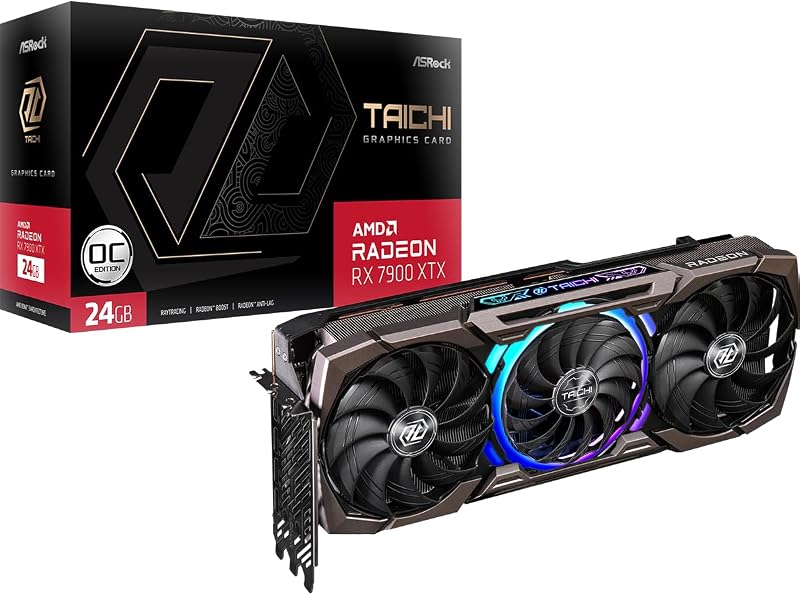
The ASRock RX 7900 XTX Taichi OC pushes those boundaries much further. By pairing 24GB of GDDR6 memory with a massive 384-bit memory bus running at 20 Gbps alongside 96MB of on-die AMD Infinity Cache, this card ensures the GPU never starves for data. This RX 7800 XT vs 7900 XTX VRAM difference is noticeable in demanding scenarios like heavily modded titles, 8K asset rendering, and high-resolution video production. While stepping up beyond mid-tier hardware brings obvious perks, comparing adjacent choices in our amd rx 7800 xt vs 7900 xt breakdown shows how memory scaling impacts high-resolution assets.
In practical use, 16GB remains plenty for the majority of gaming libraries today. However, the 24GB pool on the 7900 XTX provides an expansive safety margin for uncompressed textures and multi-display desktop setups. The 384-bit bus width allows larger data chunks to pass per clock cycle, which proves essential when driving ultra-high resolutions without frame pacing drops.
Edge: AMD RX 7900 XTX delivers 50 percent more memory and a much wider 384-bit interface to eliminate memory bottlenecks at extreme resolutions.
Resolution Targets: 1440p vs 4K Gaming Performance
Determining whether to buy the AMD RX 7800 XT or 7900 XTX for 1440p depends primarily on your monitor’s refresh rate and your target graphic presets. The Gigabyte RX 7800 XT Gaming OC is designed to operate as a high-fps powerhouse for 2560×1440 displays. Armed with modern RDNA 3 architecture, AI accelerators, and advanced ray tracing hardware, it easily drives modern titles with maximum settings enabled. While the card supports display outputs up to 7680×4320, its sweet spot remains high-refresh 1440p play, where it maintains smooth gameplay without generating extreme thermal strain.
If you are deciding between the AMD RX 7800 XT or 7900 XTX for 4k gaming, the flagship card takes total control. The ASRock Taichi 7900 XTX packs 96 AMD RDNA 3 Compute Units, each embedded with dedicated ray tracing and AI acceleration hardware. This dense core count lets the card chew through native 3840×2160 frame buffers without requiring heavy resolution downscaling. Players looking to drive native 4K gaming at 120Hz or higher will find the extra compute power of the 7900 XTX indispensable compared to mid-range alternatives. Readers exploring intermediate options can also read our amd rx 7800 xt vs 7900 gre analysis to see how mid-tier RDNA 3 options slot into this tier.
The performance gap widens as workload complexity increases. In titles with heavy ray tracing calculations, the 96 compute units of the 7900 XTX process rays and BVH traversal far faster than the 7800 XT silicon. For standard 1440p gaming, the 7800 XT offers fantastic capability, but the 7900 XTX is the definitive choice for uncompromised 4K fidelity.
Edge: AMD RX 7900 XTX dominates higher resolutions thanks to its massive 96 Compute Unit core configuration.
Clock Speeds, BIOS Features, and Overclocking Potential
Sustained clock speeds define how reliably a graphics card maintains its performance under continuous rendering loads. The Gigabyte RX 7800 XT Gaming OC delivers a factory boost clock of 2565 MHz. Gigabyte backs this core clock with a solid PCB build and an integrated metal backplate that protects structural integrity, providing steady operational frequencies right out of the box without requiring manual user intervention.
The ASRock RX 7900 XTX Taichi OC raises the bar with higher factory frequencies and expanded firmware control. It features a rated game clock of 2510 MHz and pushes boost clocks up to 2680 MHz. In addition, ASRock equips this card with physical Dual BIOS functionality. This feature allows users to flip an onboard toggle to switch between a performance BIOS profile that prioritizes higher clock targets and a quiet BIOS profile that softens fan curves for silent operation. A deeper look at enthusiast hardware in our amd rx 7900 xt vs 7900 xtx head-to-head demonstrates how top-end silicon capitalizes on these dual-profile setups.
For gamers wanting plug-and-play simplicity, any standard AMD RX 7800 XT review will highlight the convenience of a set-and-forget factory overclock. Conversely, an AMD RX 7900 XTX review of the Taichi emphasizes enthusiast tuning. With its Dual BIOS options and aggressive factory boost overhead, the Taichi gives performance tuners greater operational control over their card’s acoustic profile.
Edge: AMD RX 7900 XTX wins with higher factory boost clocks up to 2680 MHz and the flexibility of hardware Dual BIOS switching.
Cooling Hardware and Physical Form Factor
High-end graphics cards require substantial thermal solutions, but bigger coolers directly impact chassis compatibility. The Gigabyte RX 7800 XT Gaming OC uses Gigabyte’s proven Windforce cooling system. It incorporates three 90mm unique blade fans with alternate spinning, seven composite copper heat pipes, 3D active fan functionality for zero-RPM idle operation, and a large copper base plate that directly contacts the GPU die and VRAM. Measuring 11.89 inches long and 5.12 inches wide, the card fits comfortably into standard ATX and most modern micro-ATX computer cases.
The ASRock RX 7900 XTX Taichi OC utilizes a much larger thermal assembly. Branded as the Taichi 3X cooling system, it utilizes three striped ring fans in an oversized 110/100/110mm configuration, a reinforced metal frame to prevent PCB flex, and a custom ARGB backplate. This cooling array results in massive physical dimensions: 16.55 inches in length and 9.5 inches in width. Because of its sheer size and weight, ASRock bundles a dedicated graphics card stand inside the box to eliminate motherboard slot sagging. For a broader comparison of cooler scales, see our review of the amd rx 7900 gre vs 7900 xtx.
When comparing the ASRock RX 7900 XTX Taichi vs Gigabyte RX 7800 XT physically, case clearance is a vital factor. The Taichi requires an expansive full-tower chassis or an open-layout mid-tower with front radiator clearance removed. The Gigabyte card provides exceptional cooling capability via its 7 heat pipes while remaining friendly to standard case configurations.
Edge: AMD RX 7800 XT takes the lead for overall case compatibility, offering a high-efficiency triple-fan setup in a manageable footprint.
Power Consumption and System Requirements
Power delivery determines not only your system’s stability but also whether you need to buy a new power supply unit alongside your graphics upgrade. Evaluating RX 7800 XT vs RX 7900 XTX power consumption reveals two completely different electrical demands. Gigabyte specifies a 700W recommended power supply for the RX 7800 XT Gaming OC. This sensible requirement means many gamers upgrading from older systems can drop the 7800 XT straight into their existing build without replacing their power supply.
In contrast, the ASRock RX 7900 XTX Taichi OC is built for aggressive power throughput. It features an advanced 22 power phase design that regulates current across the card, fed by triple 8-pin PCI Express power connectors. This triple-cable configuration demands a robust, high-wattage power supply unit with three dedicated, un-daisychained PCIe cables. Feeding this flagship GPU generates significantly more heat inside your PC case, requiring high-airflow chassis ventilation to keep internal ambient temperatures manageable. You can see how this compares to other flagship power envelopes in our nvidia rtx 4080 super vs amd rx 7900 xtx comparison.
The 7800 XT is dramatically easier on system infrastructure. It produces lower overall thermal exhaust into your gaming room and operates comfortably on standard mid-range power equipment. The 7900 XTX Taichi demands premium support hardware to safely unleash its full compute performance.
Edge: AMD RX 7800 XT easily wins for power efficiency, requiring only a 700W PSU without needing three separate 8-pin cable runs.
Display Outputs and Next-Gen Connectivity
Modern gaming displays and mixed-reality headsets demand high-bandwidth display connectivity to run maximum refresh rates without color compression. Both of these graphics cards benefit from the AMD Radiance Display Engine found in RDNA 3, supporting cutting-edge DisplayPort 2.1 and HDMI 2.1 protocols capable of driving screens up to 8K (7680×4320). However, the port configurations on these two partner boards cater to different desk setups.
The Gigabyte RX 7800 XT Gaming OC provides two DisplayPort 2.1 outputs and two HDMI 2.1 outputs. This balanced dual-HDMI layout is exceptionally handy for gamers who run both a high-refresh PC monitor and a 4K 120Hz OLED television from the same rig, avoiding the need for active adapter cables. Both HDMI 2.1 ports support full bandwidth output for HDR and variable refresh rate displays.
The ASRock RX 7900 XTX Taichi OC chooses a display configuration aimed at multi-monitor desktop setups, providing three DisplayPort 2.1 connections and a single HDMI 2.1 port. This setup caters to sim-racers and flight-sim enthusiasts running triple DisplayPort monitors alongside high-resolution VR headsets. Both boards feature exceptional display technology, meaning your preference hinges entirely on whether you prioritize an extra HDMI or an extra DisplayPort terminal.
Edge: Tie. The 7800 XT offers dual HDMI 2.1 ports for TV and monitor pairings, while the 7900 XTX provides triple DisplayPort 2.1 outputs for multi-monitor setups.
Pros and Cons
AMD RX 7800 XT

Pros
- Moderate 11.89-inch length fits standard chassis
- Modest 700W recommended power supply
- Dual HDMI 2.1 plus dual DisplayPort 2.1 outputs
- Windforce cooler with seven copper heat pipes
Cons
- Narrower 256-bit memory bus width
- No Dual BIOS switch listed
AMD RX 7900 XTX
Pros
- Massive 24GB GDDR6 on 384-bit bus
- 96 Compute Units with 96MB Infinity Cache
- Dual BIOS with performance and quiet profiles
- Extreme boost clock up to 2680 MHz
- Robust 22 power phase delivery design
Cons
- Massive 16.55-inch card requires huge case clearance
- Requires three dedicated 8-pin power connectors
- Single HDMI output limits dual-TV setups
View AMD RX 7900 XTX on Amazon
Who Should Buy Each One
Choose the AMD RX 7800 XT If
- You target fluid, high-refresh gameplay primarily on 1440p displays.
- Your existing PC uses a 700W power supply and you want to avoid replacing internal power components.
- Your desktop case has standard interior dimensions that cannot fit a card over 16 inches long.
- You want dual native HDMI 2.1 ports to connect an OLED TV alongside your desktop monitor without using adapters.
Choose the AMD RX 7900 XTX If
- You game on a native 4K display and want maximum graphics settings without frame rate drops.
- You need the massive headroom of a 24GB GDDR6 memory pool on a wide 384-bit bus for creative tasks or heavily modded games.
- You own an enthusiast PC chassis with ample length clearance and have three discrete 8-pin PCIe cables available.
- You appreciate Dual BIOS switching to balance whisper-quiet daily acoustics with maximum performance profiles.
Final Verdict
For the vast majority of PC builders, the Gigabyte RX 7800 XT Gaming OC represents the sweet spot of modern desktop performance. It provides 16GB of GDDR6 memory, a triple-fan Windforce cooler with 7 composite heat pipes, and robust 1440p rasterization that handles modern game releases effortlessly. Combined with its 700W power supply recommendation, moderate 11.89-inch card length, and dual HDMI 2.1 ports, it integrates smoothly into existing systems without requiring costly chassis or power upgrades.
When asking is RX 7900 XTX worth it, the answer is an absolute yes for enthusiasts committed to high-refresh 4K gaming and uncompromising compute heavy lifting. The ASRock RX 7900 XTX Taichi OC is a tier above, packing 24GB of high-speed GDDR6 on a 384-bit interface, 96 Compute Units, 96MB of Infinity Cache, and an industrial-grade 22 power phase delivery system. If your case has room for its 16.55-inch frame and your power supply can handle triple 8-pin connectors, the 7900 XTX is the ultimate choice for high-resolution dominance.
FAQ
Is the AMD RX 7900 XTX worth it over the RX 7800 XT for 1440p gaming?
For standard 1440p gaming, the AMD RX 7800 XT is generally the smarter match because it easily drives high frame rates at 2560×1440 resolution. The AMD RX 7900 XTX will output higher numbers, but its massive 24GB memory pool and 384-bit bus are heavily underutilized at 1440p unless you are running extreme competitive refresh rates or heavy ray tracing mods.
What is the primary RX 7800 XT vs 7900 XTX VRAM difference?
The RX 7800 XT features 16GB of GDDR6 on a 256-bit bus, whereas the RX 7900 XTX carries 24GB of GDDR6 across a much wider 384-bit memory bus with 20 Gbps speed. In addition, the 7900 XTX features 96MB of AMD Infinity Cache to dramatically boost memory throughput for demanding 4K pipelines.
What power supply do I need for the Gigabyte RX 7800 XT Gaming OC?
The manufacturer listing specifies a recommended power supply of 700W for the Gigabyte RX 7800 XT Gaming OC. This makes it compatible with a broad range of standard mid-tier desktop power supplies without requiring an immediate PSU replacement.
How many power connectors does the ASRock RX 7900 XTX Taichi require?
The ASRock RX 7900 XTX Taichi OC requires three individual 8-pin PCIe power connectors. To ensure system stability and support its 22-phase power design, you should connect three discrete cables directly from your power supply rather than daisy-chaining a single split cable.
Can the AMD RX 7800 XT run games at 4K resolution?
Yes, the Gigabyte RX 7800 XT Gaming OC supports display resolutions up to 7680×4320 and handles 4K gaming comfortably in many titles. However, demanding graphical settings at native 4K will push the card harder, whereas the RX 7900 XTX is specifically designed with the compute units and memory bandwidth to master 4K workloads.
Why does the ASRock RX 7900 XTX Taichi include a graphics card stand?
The ASRock Taichi 7900 XTX measures 16.55 inches in length and features a dense heatsink with a reinforced metal frame. Because this massive cooler exerts significant downward leverage on the motherboard’s PCIe slot, the included stand provides physical structural support to prevent GPU sag.
Which card offers better display connectivity for dual televisions?
The Gigabyte RX 7800 XT Gaming OC offers an advantage for dual-television setups because it includes two native HDMI 2.1 ports alongside two DisplayPort 2.1 outputs. The ASRock RX 7900 XTX Taichi provides one HDMI 2.1 port and three DisplayPort 2.1 connections, making it better suited for multi-monitor desktop setups.