The single deciding factor between these two internal hard drives comes down to whether your workload demands continuous, multi-drive 24/7 network attached storage or everyday, single-drive desktop computing. The WD Red Plus 8TB delivers double the raw digital capacity alongside specialized multi-bay RAID endurance and an annualized workload rate engineered for always-on network enclosures. In contrast, the Seagate BarraCuda 4TB is specifically optimized as a dedicated secondary storage drive for personal computers, media libraries, and creative desktop workloads that operate during standard PC hours.
Desktop users who want a straightforward 3.5-inch secondary drive for PC gaming, daily productivity, and routine file backups should choose the BarraCuda. Users configuring an active network storage array, a multi-drive home server, or an always-on data backup vault should choose the WD Red Plus.


Seagate BarraCuda 4TB vs WD Red Plus 8TB at a Glance
| Attribute | Seagate BarraCuda 4TB | WD Red Plus 8TB |
|---|---|---|
| Digital Storage Capacity | 4 TB | 8 TB (8000 GB) |
| Rotational Speed | 5400 rpm | 5640 rpm |
| Sustained Transfer Rate | 190 MB/s | 215 megabytes_per_second |
| Workload Rate | Not listed | Up to 180 TB/yr |
| Recording Technology | Not listed | CMR (Conventional Magnetic Recording) |
| Multi-Bay Enclosure Support | Not listed (Desktop PC) | Up to 8 bays |
| Firmware Optimization | Optimized read/write caching | NASware firmware |
| Hardware Interface | SATA 6.0 Gb/s | Serial ATA-600 (SATA 6.0 Gb/s) |
| Item Dimensions and Weight | 5.79″L x 4″W x 0.79″Th; 14.72 oz | 1.6 pounds; Dimensions not listed |
| Warranty or Services | Data Recovery Service included | 3-year limited warranty |
| Best For | Desktop workstations and PC gaming | 1-to-8 bay NAS systems and 24/7 RAID arrays |
Storage Capacity and Workload Endurance
Storage capacity and workload endurance dictate how much data a drive can hold and how hard you can push it over an entire year without exceeding operational parameters. The WD Red Plus provides 8TB (8000 GB) of raw space, which is double the volume found on the 4TB BarraCuda. For builders running out of room on media production rigs or network arrays, that extra 4TB allows for expansive libraries without consuming additional physical drive slots in your chassis.
Endurance metrics separate network-class drives from consumer-grade desktop drives. Western Digital explicitly rates the WD Red Plus 8TB workload rate at up to 180 TB per year, calculated based on annualized read and write transfers running across 8,760 power-on hours. The Seagate BarraCuda 4TB listing does not specify an annualized workload rating, reflecting its design purpose as a drive meant for standard personal computing schedules rather than constant data traffic. Readers weighing high-density network arrays can see our analysis in the seagate ironwolf 8tb vs barracuda 4tb matchup to understand how desktop endurance compares against specialized drive ratings.
Pushing a standard desktop drive past its intended duty cycle can lead to thermal and mechanical fatigue if deployed in a continuous multi-user environment. The WD Red Plus provides the heavy-lifting endurance required for automated nightly backups, constant client streaming, and aggressive multi-client transfers, while the BarraCuda remains ideal for periodic, single-user file saves during typical computing hours.
Edge: WD Red Plus 8TB delivers twice the storage volume and an explicit 180 TB/year endurance workload rating backed by continuous operation testing.
Drive Architecture and RAID Compatibility
Drive architecture determines how hard disks behave inside multi-drive groupings, especially when managing vibration, heat, and error recovery. The WD Red Plus is built and tested specifically for up to 8-bay systems and features custom NASware firmware. This specialized firmware balances drive parameters to reduce degradation, coordinate head positioning across adjacent drives, and prevent drives from prematurely dropping out of RAID arrays during extended error recovery operations.
Another major architectural distinction comes down to data writing methods. The WD Red Plus 8TB uses CMR (Conventional Magnetic Recording) technology. In multi-disk environments, CMR is vital because it avoids the write performance penalties and severe rebuild delays often encountered with shingled magnetic recording during intensive rebuilds on ZFS and other RAID file systems. The BarraCuda listing does not specify its recording architecture, noting only optimized read/write caching technology meant for standard PC applications. Those shopping for dedicated NAS setups often review the seagate ironwolf 8tb vs wd red plus 8tb comparison to see how specialized firmware profiles compare across enterprise and consumer categories.
Deploying drives without dedicated network firmware inside a multi-bay server exposes the setup to operational friction, as ordinary desktop drives lack the specialized error-timing sequences needed for array controllers. For any configuration involving multiple drives sharing a backplane, the architectural safeguards of the WD Red Plus ensure steady communication, whereas the BarraCuda is engineered to function alone within a computer chassis.
Edge: WD Red Plus 8TB wins with its proven CMR recording architecture, NASware firmware, and testing for enclosures up to 8 bays.
Read and Write Transfer Speeds
Data throughput and internal spindle velocity determine how fast you can ingest raw video footage, copy massive zip archives, or load saved game assets. The WD Red Plus features a rotational speed of 5640 rpm, which powers a rated data transfer rate of 215 megabytes_per_second. This higher throughput is particularly advantageous when transferring large contiguous media collections or rebuilding parity blocks across high-capacity disk pools.
By comparison, the Seagate BarraCuda operates at a 5400 rpm rotational velocity and achieves a maximum sustained transfer rate of 190 MB/s from the outer diameter. While 190 MB/s provides plenty of bandwidth for daily computer operations, photo editing catalogs, and video playback, it falls 25 MB/s behind the larger drive. Those interested in maximum sustained throughput can evaluate data center platforms in our wd red plus 8tb vs seagate exos x18 breakdown to see how baseline speeds compare across different drive tiers.
In real-world desktop use, the difference between 190 MB/s and 215 MB/s translates to slightly shorter wait times when moving hundreds of gigabytes of media files. The WD Red Plus delivers higher sustained throughput across sustained sequential workloads, though both drives provide responsive bulk SATA storage for desktop tasks.
Edge: WD Red Plus 8TB takes the lead with its faster 5640 rpm spindle speed and higher 215 MB/s maximum data transfer rate.
Intended Use Cases: Gaming and Desktop Workstations
Workstation versatility involves physical drive dimensions, setup convenience, and integration with everyday PC utilities. The Seagate BarraCuda 4TB is tailored specifically for computer desktop PCs, creative workstations, and gaming rigs. It measures 5.79 inches long, 4 inches wide, and just 0.79 inches thick, weighing a modest 14.72 ounces. This slim profile simplifies installation into cramped modern desktop enclosures where cable management and airflow are primary concerns.
Seagate also supplies practical tools for desktop upgraders, including access to their free Seagate DiscWizard software. This utility allows users to easily migrate operating systems, clone data partitions from older drives, and configure new secondary storage without third-party tools. For personal computers handling multiple applications at once-such as simultaneous photo editing, music production, and PC gaming-the BarraCuda provides uninterrupted desktop performance. For shoppers exploring high-performance secondary storage, our seagate barracuda 4tb vs wd black hdd 6tb guide outlines how regular desktop computing drives differ from performance-tuned workstation models.
The WD Red Plus weighs considerably more at 1.6 pounds, reflecting its heavy-duty mechanical casing designed to absorb vibration inside multi-drive racks. While it can technically function inside a desktop PC via standard SATA connectivity, using a heavy, multi-bay-optimized drive purely as a standalone secondary desktop drive provides few advantages over a purpose-built desktop unit.
Edge: Seagate BarraCuda 4TB wins for desktop workstations thanks to its lighter, slim-chassis form factor, included DiscWizard cloning software, and seamless PC gaming integration.
Operating Environment and Continuous Reliability
Operating environment specifications reveal the conditions under which each hard drive is engineered to survive. The WD Red Plus is built from the ground up for small or medium business NAS systems operating in continuous 24×7 environments. Network storage drives must tolerate thermal fluctuations, structural vibration from neighboring disks, and constant read/write requests from multiple network clients without taking downtime.
Western Digital supports the WD Red Plus with a 3-year limited warranty, reflecting confidence in its components under non-stop usage. The Seagate BarraCuda, on the other hand, targets personal and business desktop installations that typically power down or idle overnight. To safeguard user data against unforeseen hardware issues or accidental corruption, Seagate includes its Data Recovery Service with the drive, providing a safety net for personal photo libraries and creative projects.
When selecting a drive, pairing the hardware to the operational profile of your system is critical. The WD Red Plus provides the robust build required for always-on network enclosures, while the BarraCuda pairs standard desktop duty cycles with dedicated data recovery support for standalone workstations. Buyers evaluating heavy-duty storage can review the wd red plus 8tb vs black hdd 6tb analysis to see how enterprise-grade resilience compares to desktop performance warranties.
Edge: Tie. The WD Red Plus 8TB offers 24/7 continuous operation testing and a 3-year limited warranty, while the Seagate BarraCuda 4TB includes an integrated Data Recovery Service.
Pros and Cons
Seagate BarraCuda 4TB

Pros
- Slim 0.79-inch desktop form factor
- Free DiscWizard data migration tool
- Included Data Recovery Service
- 190 MB/s maximum transfer rate
Cons
- Half the storage capacity
- No multi-bay RAID endurance rating
- Slower 5400 rpm rotational speed
View Seagate BarraCuda 4TB on Amazon
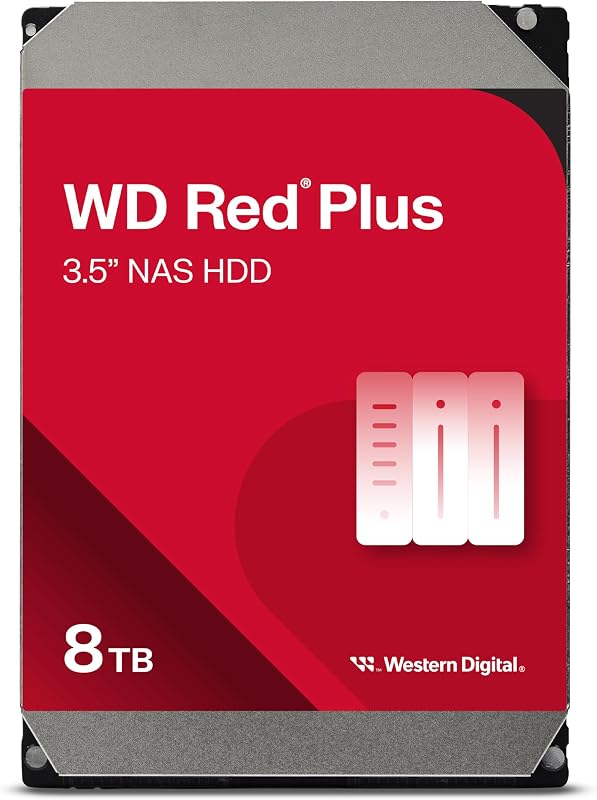
WD Red Plus 8TB
Pros
- Massive 8TB digital storage capacity
- 180 TB/year annualized workload rate
- Tested for up to 8-bay NAS systems
- Conventional Magnetic Recording (CMR)
- Faster 215 MB/s transfer rate
Cons
- Heavier 1.6-pound drive weight
- Listing notes conflicting cache specifications
View WD Red Plus 8TB on Amazon
Who Should Buy Each One
Choose the Seagate BarraCuda 4TB If
- You need a dependable secondary 3.5-inch hard drive for a single desktop PC or gaming setup.
- You want bundled migration utilities like Seagate DiscWizard to clone an older drive effortlessly.
- You prefer a lightweight, slim 0.79-inch drive profile that fits easily into compact computer cases.
- You value included Data Recovery Service protection for your personal photos, videos, and project files.
Choose the WD Red Plus 8TB If
- You are populating a multi-bay network attached storage array of up to 8 drive bays.
- You require massive 8TB storage density for media streaming, network backups, or ZFS pools.
- Your system runs continuously in a 24×7 environment with multiple users accessing files simultaneously.
- You demand CMR recording technology and NASware firmware to prevent RAID rebuild dropouts.
Final Verdict
For users building or upgrading a dedicated network storage server, the WD Red Plus 8TB is the clear and decisive winner. With its 8TB capacity, 215 MB/s data transfer rate, and robust 180 TB/year annualized workload endurance, it easily handles the grueling demands of 24/7 multi-user environments. Its specialized NASware firmware and CMR architecture ensure flawless array stability across enclosures holding up to 8 drives, making it an essential investment for server reliability.
For traditional PC builders who simply need bulk local storage, the Seagate BarraCuda 4TB remains the practical, right-sized choice. It provides 190 MB/s transfer speeds, operates quietly at 5400 rpm, and includes convenient data cloning software alongside integrated data recovery coverage. Unless you are running an always-on NAS enclosure or need the double capacity of the 8TB model, the BarraCuda delivers everything required for dependable desktop computing.
FAQ
Is the WD Red Plus 8TB a CMR or SMR drive?
The WD Red Plus 8TB uses CMR (Conventional Magnetic Recording) technology. This recording method makes it well-suited for RAID configurations, NAS enclosures, and ZFS file systems, as it prevents the write performance drops associated with SMR during extensive rebuilds.
Can I use the Seagate BarraCuda 4TB in a NAS enclosure?
The Seagate BarraCuda 4TB is designed specifically for desktop PCs and personal computing environments. While it can physically connect to a SATA bay, it lacks the multi-bay vibration dampening, 24/7 workload ratings, and specialized RAID firmware found on dedicated network drives like the WD Red Plus.
Which drive is better for PC gaming storage?
The Seagate BarraCuda 4TB is explicitly tailored for desktop PC gaming libraries. It features a slim 0.79-inch form factor that installs easily in standard PC cases, offers solid 190 MB/s sustained transfer speeds, and provides sufficient capacity for expansive modern game installations.
What does the 180 TB/year workload rate on the WD Red Plus 8TB mean?
The workload rate represents the total volume of user data transferred to and from the hard drive over a year. Western Digital defines this as an annualized rating calculated across 8,760 power-on hours, certifying that the drive can comfortably handle heavy network reading and writing without exceeding its design parameters.
Does the Seagate BarraCuda 4TB include disk cloning software?
Yes, Seagate provides access to its free DiscWizard software tool with the BarraCuda. This software enables users to migrate partitions, clone existing operating system drives, and transfer data seamlessly onto the 4TB disk.
What is the rotational speed difference between these two drives?
The Seagate BarraCuda 4TB operates at a rotational speed of 5400 rpm, while the WD Red Plus 8TB runs at 5640 rpm. This slight rotational advantage helps the WD Red Plus achieve its higher maximum data transfer rate of 215 MB/s compared to 190 MB/s on the BarraCuda.