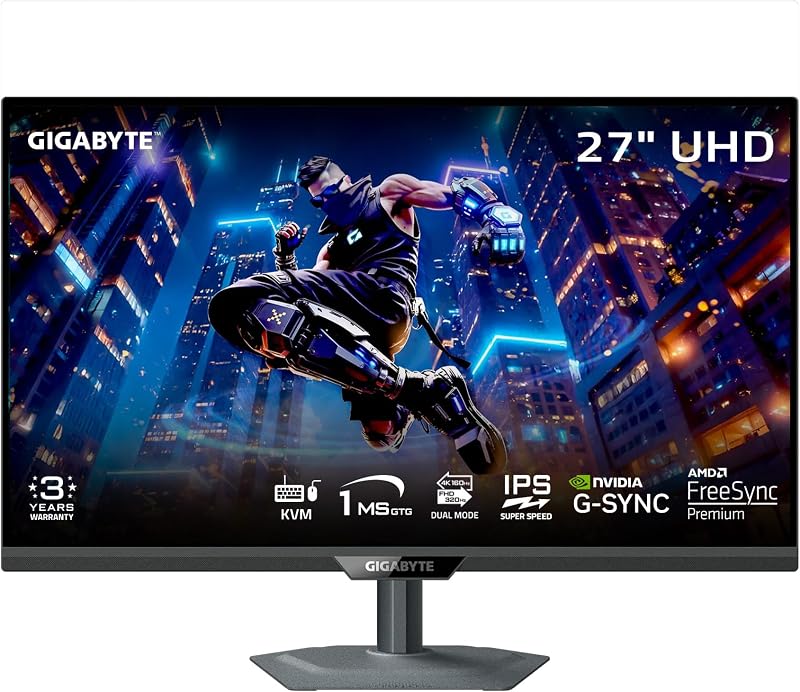
Choosing between the Samsung Odyssey G7 27 and the Acer Nitro XV272U comes down to whether you prioritize dark-room immersion with deep contrast or pure frame-rate velocity with flat-panel color stability. The Odyssey G7 relies on an aggressive 1000R curved VA panel with a 2500:1 contrast ratio to wrap the game world around your visual field, whereas the Nitro XV272U utilizes a fast 240Hz IPS display with 400 nits of brightness designed for split-second competitive tracking.
Gamers who spend most of their time in atmospheric single-player campaigns and dim environments should choose the Samsung Odyssey G7 27 for its deep black levels and wraparound screen geometry. Players focused on fast-paced first-person shooters, esports titles, and full ergonomic versatility should select the Acer Nitro XV272U for its blistering 240Hz ceiling and responsive IPS performance.


Samsung Odyssey G7 27 vs Acer Nitro XV272U at a Glance
| Feature | Samsung Odyssey G7 27 | Acer Nitro XV272U |
|---|---|---|
| Panel Technology | VA LCD | IPS LCD |
| Screen Curvature | 1000R Curved | Flat |
| Native Resolution | 2560 x 1440 (QHD) | 2560 x 1440 (WQHD) |
| Maximum Refresh Rate | 165Hz | 240Hz (DisplayPort), 144Hz (HDMI) |
| Response Time | 1ms (MPRT) | 1ms to 0.5ms (G to G) |
| Static Contrast Ratio | 2500:1 | 1,000:1 |
| Peak Brightness | 300 cd/m² | 400 cd/m² |
| Variable Refresh Tech | AMD Radeon FreeSync | AMD FreeSync Premium |
| Ergonomic Adjustments | Not listed | Height (4.7″), Tilt, Swivel, Pivot (90°) |
| Integrated Audio | Not listed | 2 x 2W Stereo Speakers |
| Best For | Atmospheric and single-player gaming | Fast-paced esports and competitive shooters |
Refresh Rate and Motion Performance
In competitive gaming environments, the refresh rate dictates the temporal resolution of every visual transition, reducing input latency and smoothing out target tracking. Evaluating the Acer Nitro XV272U vs Samsung Odyssey G7 27 immediately highlights a meaningful divide in panel cycle capability. The Acer Nitro XV272U 240Hz panel refreshes 240 times per second when connected via its DisplayPort 1.4 interface, providing an ultra-fluid stream of rendering updates. For players competing in high-movement multiplayer games, this speed provides extra visual cues when flick-aiming or tracking opponents around corners. Even when evaluating premium hardware like in the alienware aw2725df vs samsung odyssey oled g8 comparison, a high frame baseline remains the benchmark for competitive responsiveness.
By comparison, the Samsung Odyssey G7 27 refresh rate tops out at 165Hz. While 165Hz remains a standard for fluid PC gameplay-offering a dramatic step up from entry-level 60Hz panels-it processes 75 fewer frames per second than the Acer monitor at full speed. Samsung advertises a 1ms MPRT (Moving Picture Response Time) metric, utilizing backlight strobing techniques to sharpen visual transitions. However, the Nitro XV272U achieves a native 1ms gray-to-gray (GtG) response that can reach down to 0.5ms GtG under internal overdrive modes. The IPS architecture of the Acer display switches pixel states quickly across varied shade gradations, minimizing the trailing that can sometimes occur on standard VA panels.
The variable refresh rate ecosystems also diverge slightly. The Odyssey G7 employs standard AMD Radeon FreeSync to prevent horizontal frame tearing and eliminate visual stutter across its 165Hz span. The Nitro XV272U steps up to AMD FreeSync Premium, ensuring low-framerate compensation (LFC) alongside tear-free operation across the entire 240Hz bandwidth. For gamers deciding between the Samsung Odyssey G7 27 or Acer Nitro XV272U for esports, the motion ceiling and lower frame latency of the Acer panel provide an undeniable mechanical advantage.
Edge: Acer Nitro XV272U, delivering an additional 75Hz of fluid motion performance, lower gray-to-gray transition times, and AMD FreeSync Premium support.
Panel Technology and Contrast Dynamics
Contrast ratio defines the visual difference between the brightest highlights and the deepest black tones on screen. The Samsung Odyssey G7 27 review metrics reveal its primary engineering strength: a vertical alignment (VA) panel with a static contrast ratio of 2500:1. In space exploration games, atmospheric survival titles, or horror adventures played in a dark environment, this high static contrast keeps shadows looking rich and inky rather than washed out. When analyzing distinct display types, such as examining the samsung odyssey neo g7 32 vs lg 27up850, panel structure plays the defining role in shadow depth.
The Acer Nitro XV272U operates on an In-Plane Switching (IPS) panel with a traditional 1,000:1 static contrast ratio. While modern IPS panels excel in color consistency, their limited contrast performance results in black shades appearing dark gray when viewed in a dimly lit room. Where the Acer model claws back ground is in viewing angle consistency. While both displays claim 178-degree viewing angles, IPS technology maintains color accuracy and gamma stability across wide off-axis positions without the subtle gamma shift that can appear on VA panels when moving away from dead center.
Samsung also equips the Odyssey G7 with HDR10 processing, which uses the panel’s 2500:1 contrast foundation to draw out shadow details that flatter panels might crush. The Acer panel counters with DisplayHDR 400 certification and a higher peak luminance, but its 1,000:1 ceiling limits absolute dynamic separation in dark scenes. For players who value moody environmental rendering, rich dungeon corridors, and deep cinematic shadows over wide-angle viewing stability, the Odyssey’s VA panel delivers a significantly punchier image.
Edge: Samsung Odyssey G7 27, offering a 2500:1 native contrast ratio that produces noticeably deeper black levels and shadow clarity.
Screen Curvature and Visual Immersion
The geometry of a display reshapes how your eyes process the corners of a screen, especially at close desk distances. Examining the Samsung Odyssey G7 1000R curve vs flat monitor design reveals two diametrically opposed design philosophies. The Odyssey G7 features a dramatic 1000R curvature, matching the natural curvature of the human field of view. On a 27-inch panel, this tight curve pulls the perimeter pixels forward, ensuring that the distance from your eye to the center of the display matches the distance to the outer edges. This design minimizes eye movement during long sessions, drawing your peripheral vision straight into flight cockpits, racing simulations, and expansive fantasy landscapes.
In contrast, the Acer Nitro XV272U utilizes a conventional flat panel profile. Flat monitors avoid the optical geometry distortion that curved displays can introduce when viewing straight lines, spreadsheets, architectural layouts, or digital artwork. While curved panels provide unmatched depth in simulators, users who also edit video, create graphics, or browse multi-window productivity layouts often prefer the predictable horizontal plane of a flat display. Curved displays can also create unique reflections depending on ambient room lighting, as discussed in broad display analyses like the dell u2723qe vs samsung odyssey g9 49 evaluation.
Immersion remains highly subjective. The Odyssey G7 makes you feel wrapped inside the game engine, while the flat Acer display feels like an accurate, neutral canvas. For pure single-player engagement, the 1000R bend adds a tactile sense of scale that flat screens cannot emulate. However, if your daily routine involves precision desktop productivity alongside gaming, the flat IPS panel on the Nitro XV272U avoids visual distortion entirely.
Edge: Tie, as the 1000R curve provides superior gaming immersion while the flat profile ensures distortion-free productivity and content creation.
Ergonomics, Stand Adjustability, and Build
A monitor stand governs how comfortably you can position your screen relative to your posture, desk height, and peripheral accessories. An in-depth Acer Nitro XV272U review reveals exceptional mechanical adjustability via its ErgoStand system. The Acer display features full four-way ergonomics: height adjustment across a 4.7-inch range, forward and backward tilt from -5 to 15 degrees, a full 360-degree swivel base, and a 90-degree bidirectional pivot for vertical orientation. This flexibility allows competitive players to tilt and rotate the display to accommodate angled keyboards, or to pivot the screen for use as a dedicated vertical chat monitor.
The Odyssey G7 listing details focus heavily on display performance, but the listing does not specify advanced ergonomic adjustments such as height, swivel, or pivot capabilities for this specific configuration. The Odyssey G7 chassis has dimensions of 9.22 inches deep by 24.34 inches wide by 20.5 inches high, weighing in at a light 9 pounds. Acer’s Nitro XV272U measures 9.2 inches deep by 24.2 inches wide by 18 inches high, with a sturdier overall weight of 5.23 kilograms (approximately 11.5 pounds), supported by a robust 100 x 100mm VESA-compliant mount.
The versatility of the Acer stand reduces the immediate need to purchase a third-party monitor arm. Players can effortlessly raise the panel to eye level to eliminate neck strain during competitive marathons. For desk setups that demand rapid ergonomic repositioning, portrait-mode flexibility, or micro-adjustments to align with secondary displays, the Nitro XV272U provides an out-of-the-box utility that the Odyssey’s listed hardware does not match.
Edge: Acer Nitro XV272U, thanks to its comprehensive ErgoStand with height, tilt, 360-degree swivel, and 90-degree pivot capabilities.
Brightness, HDR Presentation, and Connectivity
Luminance and signal pipeline options dictate how well a display handles ambient room glare and multiple hardware inputs. The Acer Nitro XV272U achieves a peak brightness rating of 400 cd/m², paired with VESA DisplayHDR 400 certification. This higher brightness allows the Acer panel to overcome bright room lighting, open windows, and overhead office fixtures. The Samsung Odyssey G7 27 is rated at 300 cd/m² with standard HDR10 decoding. While the Odyssey’s superior contrast compensates in dark environments, the Acer panel produces a distinctly punchier overall image in sunlit rooms, a performance trait frequently scrutinized in monitors like those in the asus rog swift pg32uqx vs samsung odyssey neo g7 32 guide.
Connectivity options further differentiate these two 1440p displays. The Acer Nitro XV272U is equipped with a versatile port selection, including one DisplayPort 1.4 connection, two HDMI 2.0 ports, and a dedicated 3.5mm audio output. Acer also bundles both DisplayPort and HDMI cables inside the box. Notably, reaching the Nitro’s full 240Hz refresh rate requires using the DisplayPort 1.4 interface, as the HDMI 2.0 ports top out at 144Hz due to interface bandwidth ceilings. The Acer chassis also houses two integrated 2-watt speakers, providing convenient desktop audio without requiring headphones for casual video playback.
Samsung’s product data confirms the Odyssey G7’s 2560 x 1440 native resolution, 40-watt operating power draw, and eye-care features like Eye Saver Mode and screen flicker reduction. However, the listing does not specify built-in speakers or the exact breakdown of video inputs. Acer’s lower power consumption of 26 watts, integrated sound system, and higher peak brightness give it a complete, practical hardware profile for multi-device setups.
Edge: Acer Nitro XV272U, offering 400 cd/m² peak brightness, integrated stereo speakers, lower power consumption, and bundled cables.
Pros and Cons
Samsung Odyssey G7 27

Pros
- Deep 2500:1 static contrast ratio
- Immersive 1000R wraparound curvature
- Sharp 1440p resolution at 165Hz
- Eye Saver Mode with flicker reduction
Cons
- Lower 300 cd/m² peak brightness
- Stand adjustability not specified
- Refresh rate caps at 165Hz
View Samsung Odyssey G7 27 on Amazon
Acer Nitro XV272U

Pros
- Ultra-fast 240Hz refresh rate via DisplayPort
- Rapid 1ms to 0.5ms GtG response
- Fully articulated ErgoStand with height adjust
- Bright 400 cd/m² DisplayHDR 400 panel
- Integrated stereo speakers
Cons
- Lower 1,000:1 IPS contrast ratio
- HDMI ports limited to 144Hz
- Flat screen lacks curved gaming immersion
View Acer Nitro XV272U on Amazon
Who Should Buy Each One
Choose the Samsung Odyssey G7 27 If
- You primarily play immersive, story-driven single-player campaigns, RPGs, or space simulators in dimly lit rooms.
- You want a dramatic 1000R screen curve that matches human vision and wraps your peripheral visual field.
- You prioritize deep, rich black levels and shadow detail via an authentic 2500:1 VA static contrast ratio.
- You want high-definition 1440p gaming at a reliable 165Hz with AMD FreeSync image smoothing.
Choose the Acer Nitro XV272U If
- You focus on fast-paced competitive esports titles where a 240Hz refresh rate and 0.5ms to 1ms response provide a mechanical edge.
- You require comprehensive stand adjustments, including 4.7 inches of height adjustment, swivel, and full portrait pivot.
- You use your monitor in a bright room and need 400 cd/m² brightness along with wide IPS viewing angles.
- You plan to use the display for daily productivity, design work, or multi-monitor configurations where a flat screen is essential.
Final Verdict
For most competitive PC gamers and everyday desktop users, the Acer Nitro XV272U emerges as the stronger all-around recommendation. Its combination of a blindingly fast 240Hz refresh rate over DisplayPort, rapid IPS response times, DisplayHDR 400 brightness, and a fully articulated ergonomic stand makes it a versatile platform for both work and play. Whether you are climbing ranked ladders in first-person shooters or managing multiple productivity windows on a flat plane, the Nitro XV272U delivers exceptional functional flexibility without compromising clarity.
The Samsung Odyssey G7 27 remains the superior choice for players dedicated to visual atmosphere and cinematic single-player journeys. Its 1000R curvature creates an unmatched feeling of cockpit and world immersion, while its 2500:1 VA contrast ratio trounces the flat IPS competition in dark-room shadow depth. If you game primarily at night and favor atmospheric titles over lightning-fast esports tracking, the Odyssey G7 27 provides an engulfing visual experience that flat monitors simply cannot match.
FAQ
Which monitor has better motion clarity for competitive shooters?
The Acer Nitro XV272U offers superior motion clarity for competitive shooters due to its 240Hz refresh rate and native 1ms to 0.5ms gray-to-gray response time. The extra frames processed each second significantly reduce input lag and perceived blur compared to the 165Hz cap and 1ms MPRT of the Samsung Odyssey G7 27.
What makes the Samsung Odyssey G7 1000R curve vs flat monitor feel different in daily use?
The 1000R curve of the Samsung Odyssey G7 27 pulls the edges of the display closer to your eyes, matching your natural field of view to create an immersive, wraparound gaming experience. A flat monitor like the Acer Nitro XV272U keeps straight lines true across the entire screen, which prevents optical distortion during design tasks, spreadsheets, and casual web browsing.
Is Acer Nitro XV272U worth it for gamers playing single-player titles?
The Acer Nitro XV272U is a capable single-player display thanks to its crisp 1440p resolution, wide IPS viewing angles, and 400 nits of peak brightness. However, because it has an IPS panel with a 1,000:1 contrast ratio, atmospheric dark scenes will appear somewhat gray compared to the deep, inky 2500:1 contrast of the Samsung Odyssey G7.
How do the refresh rates compare over HDMI?
The Acer Nitro XV272U achieves its full 240Hz refresh rate exclusively through its DisplayPort 1.4 connection, while its two HDMI 2.0 ports support up to 144Hz. The Samsung Odyssey G7 operates at up to 165Hz natively, though users should connect via DisplayPort on both displays to unlock maximum refresh rates and adaptive sync capabilities.
Can both monitors be mounted on monitor arms?
The Acer Nitro XV272U explicitly features standard VESA 100 x 100mm mounting holes on the back of the chassis, allowing easy installation on aftermarket desk clamps and wall mounts. While the Samsung Odyssey G7 27 features a compact 9-pound chassis, the listing does not specify standard VESA mount dimensions.
Does either monitor come with integrated speakers?
The Acer Nitro XV272U includes two integrated 2-watt stereo speakers and a 3.5mm audio out port, making it convenient for basic desktop audio playback without a headset. The Samsung Odyssey G7 27 listing does not specify any integrated speakers, meaning external speakers or headphones will be required for audio.