The single difference that decides the choice between these two drives is interface bandwidth: one model operates on the mature PCIe 4.0 standard, while the other harnesses PCIe 5.0 architecture to almost double sequential data throughput. This generation gap establishes two distinct operating environments, separating a thermally stable, console-ready drive from an ultra-fast, workstation-oriented storage component requiring high-tier motherboard cooling.
Choose the Seagate FireCuda 530 if you need plug-and-play Sony PlayStation 5 compatibility, exceptional write endurance, and a factory-fitted low-profile heatsink. Choose the Crucial T705 if you own a modern Intel 13th/14th Gen or AMD Ryzen 7000 PC with dedicated Gen5 M.2 connectivity and require maximum transfer bandwidth for heavy content creation or enthusiast gaming.
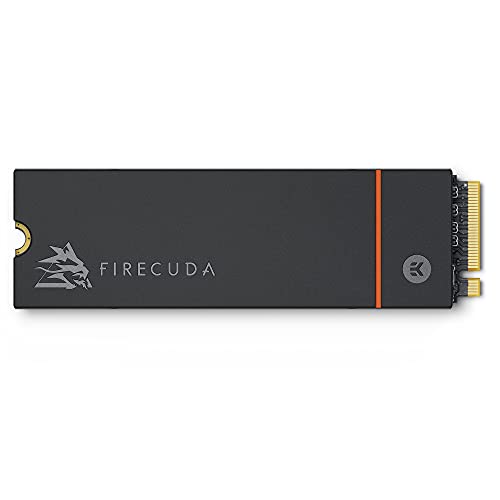

Seagate FireCuda 530 vs Crucial T705 at a Glance
| Attribute | Seagate FireCuda 530 | Crucial T705 |
|---|---|---|
| Interface | PCIe Gen4 ×4 NVMe 1.4 | PCIe Gen5 ×4 NVMe |
| Capacity | 1 TB | 1 TB |
| Maximum Sequential Read | 7300 MB/s | 13600 MB/s |
| Maximum Sequential Write / Media Speed | 6000 MB/s | 10200 MB/s |
| NAND Flash Type | 3D TLC NAND | Micron TLC NAND |
| Endurance Rating | 1275 TBW | Not listed |
| Mean Time Between Failures (MTBF) | 1.8M hours | Not listed |
| Cooling Solution | Custom EKWB low-profile heatsink | Heatsink-compatible (bare drive) |
| Data Recovery / Protection | 3 years Rescue Data Recovery Services | Hardware Encryption, Acronis True Image |
| Console Compatibility | Sony PlayStation 5 | Microsoft Xbox Series S / X |
| Warranty | 5-year limited warranty | 5-year limited warranty |
| Best For | PS5 storage expansion and high-write workloads | Cutting-edge Gen5 desktop gaming and 8K video pipelines |
Sequential Read and Write Throughput
Sequential throughput defines how rapidly an internal solid-state drive can ingest, stream, and duplicate massive single-file blocks. In content production and workstation setups, high transfer rates reduce the time spent moving 8K media footage, opening complex project files, or transferring game installations across partitions. When looking at raw PCIe Gen4 vs PCIe Gen5 SSD speed, the underlying bus limits dictate the maximum ceiling each controller can achieve.
Comparing the published FireCuda 530 vs T705 specs reveals the massive performance divide introduced by the Gen5 interface. The FireCuda 530 reaches a top read speed of 7300 MB/s and a media write speed of 6000 MB/s, saturating the physical lanes of the PCIe 4.0 standard. In contrast, the Crucial T705 read write speed climbs to an impressive 13600 MB/s sequential read and 10200 MB/s sequential write, utilizing Micron TLC NAND across a Gen5 connection. While the FireCuda transfer speeds are up to two times faster than PCIe Gen3 drives, the T705 nearly doubles the FireCuda sequential ceiling.
For builders assessing whether to buy the seagate firecuda 530 vs samsung 990 pro or jump directly to next-generation silicon, that additional headroom provides tangible advantages when shifting uncompressed assets. If your daily PC usage includes shifting hundreds of gigabytes of raw data, the T705 finishes file operations in a fraction of the time required by Gen4 alternatives. For standard desktop operation, however, both units push far past the requirements of regular software loads.
Edge: Crucial T705 delivers nearly double the sequential read and write throughput of the FireCuda 530 by leveraging the PCIe 5.0 bus.
Thermal Design and Heatsink Requirements
Modern high-speed NVMe controllers generate substantial thermal output under load, making passive or active cooling mandatory to avoid aggressive thermal throttling. When an SSD throttles, the controller drops clock speeds, slashing transfer rates to protect NAND cells from heat degradation. The approach each manufacturer takes to heat dissipation directly dictates how easily the drive integrates into tight PC chassis or console bays.
The FireCuda 530 includes a custom-built low-profile heatsink engineered collaboratively by EKWB and Seagate. This aluminum enclosure dissipates heat evenly across its exterior fins while maintaining compact dimensions of 3.16 inches in length, 0.87 inches in width, and just 0.09 inches in thickness. This slim profile ensures the drive maintains sustained peak performance under heavy loads without requiring any supplementary cooling accessories. Users researching a standard Seagate FireCuda 530 review often highlight this cooling integration as a major setup advantage.
The T705 listing describes a heatsink-compatible bare drive that explicitly requires external cooling. The manufacturer specifies that users must install the drive using their motherboard integrated heatsink or an aftermarket thermal solution with proper chassis airflow to maintain optimal performance during sustained gaming sessions and demanding workloads. Installing this drive without adequate motherboard heatsink coverage will lead to rapid thermal saturation. Readers who have weighed the seagate firecuda 530 vs kingston kc3000 will recognize the distinct practical benefit of having a pre-mounted, professionally developed EKWB heatsink straight out of the box.
Edge: Seagate FireCuda 530 includes an integrated, custom low-profile EKWB heatsink that guarantees thermal stability without requiring motherboard-specific thermal plates.
Endurance, Reliability, and Data Protection
Flash memory endurance determines the volume of data you can write to an SSD before the NAND cells begin to wear out. For professionals working with daily write-intensive scratch disks, database logging, or video mastering, high endurance ratings guarantee operational longevity. Beyond raw cell endurance, auxiliary data recovery provisions offer security against hardware damage, accidental loss, or unexpected physical corruption.
The FireCuda 530 endurance TBW is rated at an exceptional 1275 TBW for the 1TB model, paired with an MTBF calculation of 1.8 million hours and a 5-year limited warranty. To protect user assets further, Seagate includes three years of Rescue Data Recovery Services, allowing laboratory recovery if the hardware suffers mechanical or unexpected component failure. This combination gives the drive one of the strongest protection portfolios in the consumer NVMe landscape, a factor frequently raised when comparing the seagate firecuda 530 vs kingston fury renegade ssd.
Crucial builds the T705 on trusted Micron TLC NAND backed by a 5-year limited warranty, but the listing does not specify the exact TBW rating or MTBF figure. For software protection and disk management, Crucial bundles Acronis True Image cloning software and equips the hardware with integrated hardware encryption. While Acronis allows seamless operating system migration, the lack of a published endurance rating in the listing and the absence of a dedicated physical recovery service leaves the FireCuda ahead in demonstrable write resilience.
Edge: Seagate FireCuda 530 provides a verified 1275 TBW endurance rating along with three years of bundled data recovery lab services.
Gaming Performance and DirectStorage Optimization
Evaluating the Seagate FireCuda 530 or Crucial T705 for gaming requires looking at how modern game engines pull assets into system memory. Modern PC titles increasingly utilize API pipelines such as Microsoft DirectStorage to decompress textures directly on the GPU, eliminating CPU bottlenecks and trimming level transitions down to imperceptible moments.
Crucial specifically engineered the T705 for hardcore gaming environments, integrating optimization for Microsoft DirectStorage to reduce latency and lower CPU utilization during game asset streaming. Combined with its massive 13600 MB/s read bandwidth, the drive handles massive open-world titles, high-resolution texture streaming, and rapid level transitions effortlessly. Enthusiasts reading a Crucial T705 review will find that its Gen5 pipeline positions it as an elite choice for upcoming games built specifically around direct SSD-to-VRAM decompression.
The FireCuda 530 delivers top-tier Gen4 gaming performance, leveraging transfer speeds up to 7300 MB/s to ensure fast bootups and smooth gameplay. It handles contemporary game installations seamlessly, but it does not boast the specialized DirectStorage engine tuning explicitly noted on the T705 platform. Those comparing modern high-speed storage, such as the seagate firecuda 530 vs wd_black sn7100, know that while PCIe 4.0 remains fast enough for existing games, PCIe 5.0 architecture provides unmatched bandwidth overhead for future rendering pipelines.
Edge: Crucial T705 delivers higher peak read bandwidth and explicit Microsoft DirectStorage optimization for next-generation PC gaming.
Platform Compatibility and Console Integration
Physical and electrical compatibility dictates whether an SSD will function in your specific hardware environment. PCIe generations maintain backward and forward electrical compatibility, but physical dimensions, heatsink clearances, and interface standards determine real-world usability inside compact game consoles and desktop motherboards.
When selecting the FireCuda 530 or Crucial T705 for PS5 expansion, the FireCuda 530 holds a definitive advantage. Its product listing confirms explicit compatibility with the Sony PlayStation 5 console. The low-profile EKWB heatsink measures 3.16 inches long, 0.87 inches wide, and 0.09 inches thick, slipping perfectly inside the PS5 internal M.2 expansion bay without requiring modifications. Furthermore, the PS5 interface runs on PCIe 4.0, meaning the FireCuda operates at its designed native bus speeds inside the console.
The T705 listing lists compatible devices as Desktop, Workstation, and Gaming Consoles, with video game console models referencing Microsoft Xbox Series S and Microsoft Xbox Series X. However, the Xbox Series consoles rely on proprietary external expansion cards rather than internal bare M.2 2280 slots. On the PC side, the T705 is platform-optimized for Intel 13th/14th Gen and AMD Ryzen 7000 processors seated in motherboards offering dedicated M.2 Gen5 slots. Shoppers evaluating the seagate firecuda 530 vs sk hynix bc901 or other OEM modules should note that installing a Gen5 drive like the T705 on an older PCIe 4.0 or 3.0 board bottlenecks the drive down to legacy bus limits.
Edge: Seagate FireCuda 530 offers certified plug-and-play Sony PlayStation 5 compatibility with an integrated heatsink sized for the console bay.
Software Ecosystem and Added Value
Supplemental software bundles can simplify drive deployment, partition cloning, and creative workflow setup. Installing a new primary drive often involves migrating an entire operating system, setting up hardware encryption, or configuring media creation suites.
Crucial equips the T705 with a substantial software package. It includes Acronis True Image cloning software, giving buyers an automated tool for full system backups, bare-metal drive cloning, and data migration from an existing OS drive. In addition, Crucial includes a one-month subscription to Adobe Creative Cloud All-Apps, granting access to creative tools for video editing, 3D workflows, and photo processing. The hardware also features built-in hardware encryption for enterprise and personal data security.
The FireCuda 530 focuses its value proposition on data protection rather than creative software suites. Its primary bundled perk is the three-year Rescue Data Recovery Services program, which provides direct factory recovery assistance if drive hardware malfunctions. While it lacks bundled cloning utilities or creative app subscriptions, the peace of mind offered by professional data recovery holds substantial weight for users safeguarding sensitive work archives. Still, for initial desktop deployment and out-of-the-box productivity, the Crucial software suite provides immediate functional value.
Edge: Crucial T705 bundles Acronis True Image cloning software, hardware encryption, and an Adobe Creative Cloud All-Apps trial.
Pros and Cons
Seagate FireCuda 530

Pros
- Up to 7300 MB/s read speed
- Massive 1275 TBW write endurance
- Custom low-profile EKWB heatsink included
- Three years Rescue Data Recovery Services
- Plug-and-play PS5 console compatibility
Cons
- Half the throughput of Gen5 drives
- Slower 6000 MB/s write rate
View Seagate FireCuda 530 on Amazon
Crucial T705

Pros
- Blazing 13600 MB/s sequential read speed
- Up to 10200 MB/s write throughput
- Microsoft DirectStorage performance optimization
- Bundled Acronis True Image cloning software
- Built-in hardware encryption support
Cons
- Requires dedicated motherboard heatsink
- Endurance TBW rating not listed
Who Should Buy Each One
Choose the Seagate FireCuda 530 If
- You need internal M.2 storage expansion for a Sony PlayStation 5 that fits inside the console bay without requiring third-party cooling.
- You manage write-intensive computational workloads requiring a verified 1275 TBW endurance rating.
- You want the security of three years of bundled factory Rescue Data Recovery Services for critical file archives.
- You operate a PCIe 4.0 desktop motherboard and prefer a factory-installed EKWB aluminum heatsink over bare drives.
Choose the Crucial T705 If
- You run an Intel 13th/14th Gen or AMD Ryzen 7000 PC with a motherboard featuring native PCIe 5.0 M.2 slots.
- You work with heavy 8K video timelines, uncompressed 3D rendering, or massive file transfers that capitalize on 13600 MB/s read speeds.
- Your desktop motherboard already includes high-surface-area integrated M.2 heatsinks with active or directed case airflow.
- You want bundled disk imaging tools like Acronis True Image alongside hardware encryption for system deployment.
Final Verdict
The choice between the Crucial T705 vs Seagate FireCuda 530 comes down to matching your system hardware with the drive interface generation. For the vast majority of PC builders and console gamers, the Seagate FireCuda 530 remains the more practical and versatile choice. Its 7300 MB/s read speed saturates the PCIe 4.0 bus, while its factory-installed EKWB heatsink, certified PS5 compatibility, verified 1275 TBW endurance, and included Rescue Data Recovery Services deliver a complete, reliable package that operates without extreme thermal demands.
On the other hand, the Crucial T705 represents the bleeding edge of modern consumer solid-state performance. If you operate an enthusiast desktop built around AMD Ryzen 7000 or Intel 13th/14th Gen processors, have dedicated PCIe 5.0 slots, and feature capable motherboard heatsinks, the T705 justifies its enthusiast pedigree. Delivering up to 13600 MB/s sequential read rates, Microsoft DirectStorage tuning, and hardware encryption, the T705 stands as the superior drive for uncompromising high-bandwidth workstation and enthusiast computing rigs.
FAQ
Can the Crucial T705 run inside a Sony PlayStation 5?
The Crucial T705 is not ideal for the Sony PlayStation 5. The PS5 storage bay is engineered around the PCIe 4.0 NVMe standard and requires specific heatsink dimensions. While PCIe 5.0 drives can technically negotiate backwards down to Gen4 link speeds, the T705 requires substantial motherboard heatsink cooling to prevent thermal throttling, whereas the FireCuda 530 is explicitly listed with PS5 console compatibility and includes a perfectly sized low-profile heatsink.
Does the Seagate FireCuda 530 require a separate heatsink purchase?
No, this version of the Seagate FireCuda 530 comes equipped with a custom-built low-profile heatsink developed jointly by EKWB and Seagate. The integrated aluminum heatsink dissipates heat efficiently, fits standard M.2 slots, and stays well within the dimensional limits required for console and desktop integration.
How does PCIe Gen4 vs PCIe Gen5 SSD speed impact everyday PC gaming?
For standard game boot sequences and current generation titles, the difference between PCIe 4.0 speeds of 7300 MB/s and PCIe 5.0 speeds of 13600 MB/s is often subtle because game engines are still optimized around legacy storage architectures. However, as upcoming PC titles adopt Microsoft DirectStorage to stream assets directly into GPU memory, the higher bandwidth of the Crucial T705 will help reduce background asset decompression times and eliminate frame stutter during high-resolution texture streaming.
What does the FireCuda 530 endurance TBW rating mean for longevity?
The 1275 TBW (Terabytes Written) rating indicates that you can write up to 1275 terabytes of cumulative data to the 1TB drive before the 3D TLC NAND cells exceed their verified endurance limits. For the average user or gamer, writing that volume of data would take decades of normal usage, ensuring exceptional reliability over the course of its 5-year warranty period.
Is Crucial T705 worth it for an older PCIe 3.0 or PCIe 4.0 motherboard?
No, the Crucial T705 is not worth purchasing if your system only supports PCIe 3.0 or PCIe 4.0. While the drive is backward compatible, it will be physically limited to the maximum throughput of the older slot (roughly 3500 MB/s on Gen3 or 7000 to 7400 MB/s on Gen4), completely negating the 13600 MB/s Gen5 advantage while still requiring robust heatsink cooling.
What backup tools are included with the Crucial T705?
The Crucial T705 includes a software license for Acronis True Image. This utility allows users to clone their existing operating system, create scheduled partition backups, and migrate personal data from an older hard drive or SSD over to the new NVMe drive without requiring a clean Windows reinstallation.


